Switching Zones
Overview
Switch to a busy zone to potentially maximize your earnings and time while dashing.
When you are out dashing, we want to help you maximize your time by taking advantage of busy zones. Keep reading below to learn about the switch zone feature and its benefits.
More opportunities to earn
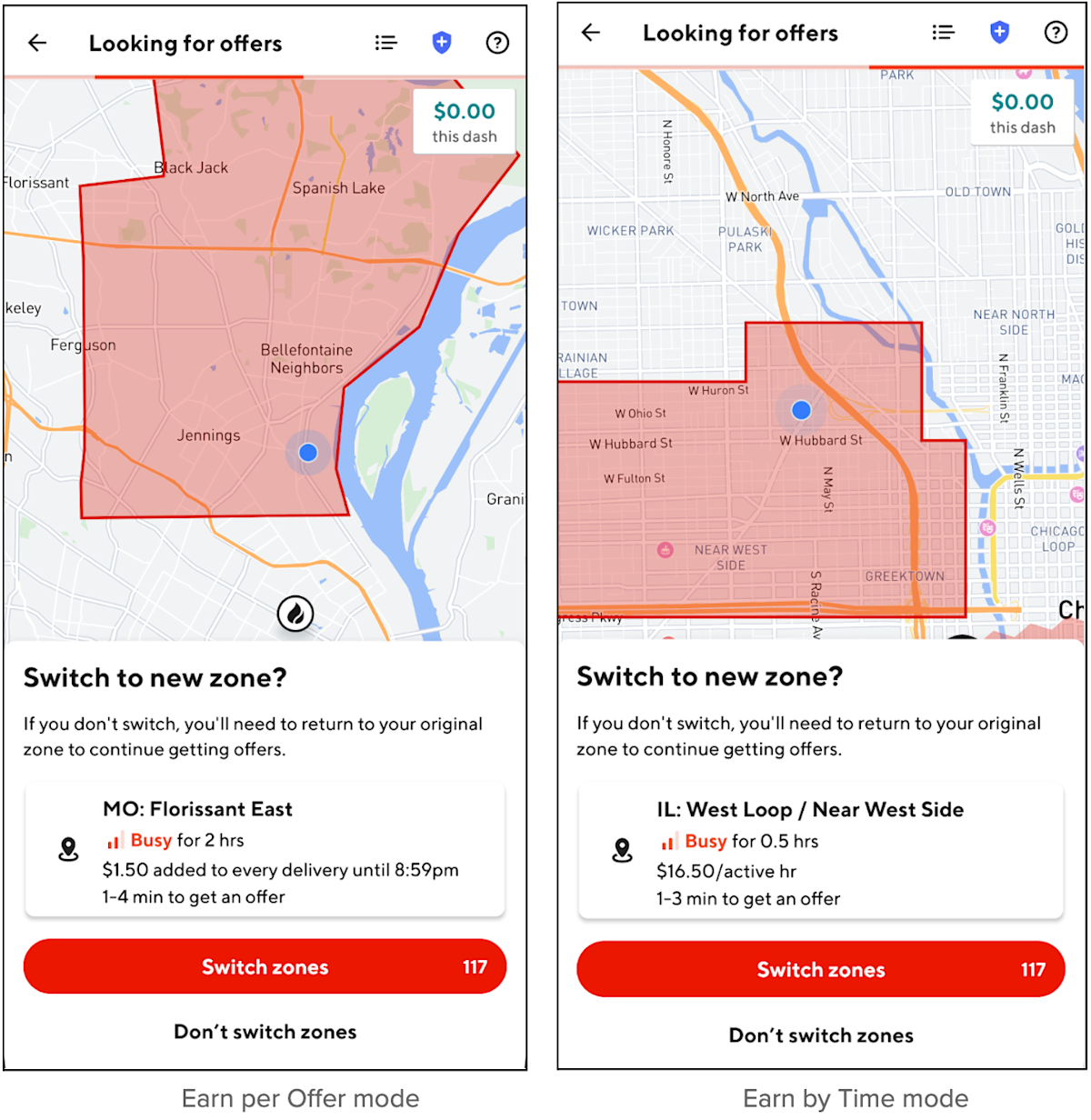
If you drop off a delivery outside your zone into a new zone that is busy at the time of completion, you'll be given the option to switch zones on the 'looking for offers' screen. This will open you up to more offers, reduce the waiting time between orders, and allow you to make the most of your time online. When viewing the option to switch zones, you will also be able to see the hotspots within the new zone and Peak Pay (if available). If you are on Earn by Time mode, you will also see the new zone’s minimum guaranteed active hourly rate.
Flexibility when switching zones
When the option is available, switching to a new zone is completely up to you. If you choose not to switch to a new zone, the app will look for offers that will take you back to your original zone. Dashers using Earn per Offer mode can only switch zones once. However, when earning by time, Dashers will be able to switch to a new zone as many times as the option to do so is available, and as long as the new zone is busy.
Updated zone
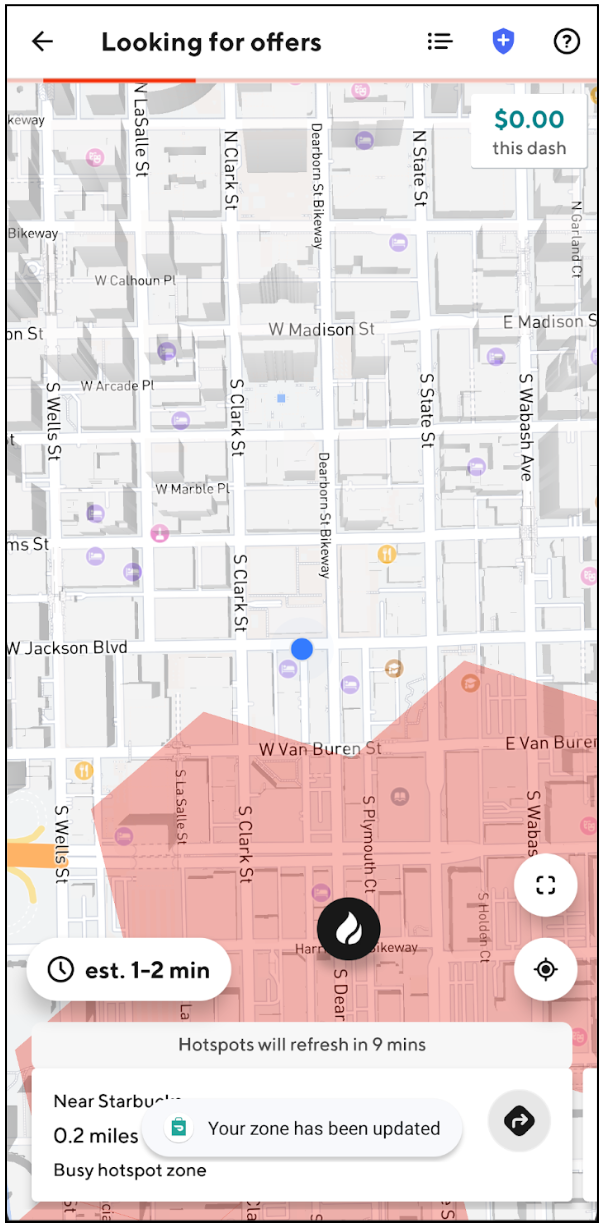
If you do choose to switch to the new zone that you entered, you can see updated hotspots nearby and start receiving offers in the new zone. If you are on Earn by Time mode, you will also see the new zone’s hourly rate and all offers in the new zone will be paid with that updated rate.


Frequently Asked Questions
Q: Do I have to switch my zone?
A: No. Switching between zones is completely up to you as a Dasher!
Q: What happens if I don’t switch my zone, is there any penalty?
A: No. You will always have the option to switch and start dashing in the new zone (as long as that new zone is busy). If you choose not to switch, the Dasher app will still look for offers that help you earn as you drive back to your original zone.
Q: After I switch to a new zone, will I be able to get deliveries from my original zone?
A: No. After you switch to a new zone, you will start getting offers from only that new zone.
Q: Will I be able to switch my zone every time I drop off a delivery outside my zone?
A: Whether you dash on Earn per Offer mode or Earn by Time mode, the Dasher app will only offer the option to “switch to a new zone” if you drop off in a different zone that is busy.
However, in Earn per Offer mode, you can only do it once every dash session. In Earn by Time mode, you can switch as many times as you like in a single dash session.
Whichever way you choose to earn, when given the option to switch zones, the app will tell you how busy a new zone is and how long it will stay busy, any Peak Pay that is available in the drop-off zone, and for Earn by Time mode you’ll also see the new zone’s hourly rate.
Q: How do I know how busy it is going to be in the new zone?
A: When given the option to switch zones, the Dasher app will let you know the busyness level of the new zone, how long the new zone is expected to stay busy, and any Peak Pay offer available in that new zone. If you’re earning by time, you’ll also be able to see if there are any changes to the active hourly rate for a new zone.
Q: Does my dash session end/restart when I switch to a new zone?
A: When you switch zones while earning per offer or earning by time, you will remain online in your current dash session throughout the entire experience.
However, if you are earning by time, the active hourly rate for future offers may change based on that new zone.
Rest assured, when you are given the option to switch zones, the Dasher app will clearly show you if there are any changes to the active hourly pay rate on Earn by Time mode, and whether the new zone has Peak Pay in effect. You can use this information to inform your decision on whether you want to switch to a new zone or remain in your current zone.
Q: What should I do if I want to go back to my original zone?
A: In Earn per Offer mode, if you want to return to your original zone, you will need to sign out of your dash and start a new dash in your original zone (as long as spots are available).
To switch back to your original zone in Earn by Time mode, simply drive back to your zone (you do not need to actively be on an order), as long as your original zone is busy, you will be given the option to “switch to new zone” in the Dasher app. Otherwise, similar to Earn per Offer mode, if you want to return to your original zone, you must sign out of your dash and start a new session in your original zone (as long as spots are available).
Q: How do I switch back to Earn per Offer mode after switching zones on Earn by Time?
A: If you would like to switch to Earn per Offer mode from Earn by Time mode, you have the option to end your dash and check if there are Earn per Offer spots available in your current zone.
If the zone is busy, you might not be able to continue earning immediately, but you can schedule a dash for later.
If you have already ended your dash, you may continue to earn by time as long as spots are still available.
Q: Will I get Peak Pay if I switch my zone?
A: If you switch your zone, you will receive the Peak Pay offer that is available in the new zone, and no longer receive the offer from your original zone. For example:
Dan is dashing in downtown Chicago, and there is currently $1 Peak Pay there. He drops off a delivery in a different zone on the West Side of Chicago, where there is $2 Peak Pay. After he confirms to switch to the new zone, he will now receive $2 Peak Pay on every offer he completes until the Peak Pay ends, he switches to a new zone, or ends his dash.



