Earn by Time mode
Overview
Earn by Time mode provides more earning consistency and a lower stress dashing experience for Dashers. In select cities in the U.S., Dashers have the option to earn a minimum guaranteed active hourly rate based on time spent actively on a delivery (also known as a Dasher’s “active time”) – this is from the moment you accept an offer until it’s complete. Plus, Dashers will get 100% of any customer tips and applicable promotions on top.
Table Of Content:
How This Works
FAQ
How This Works:
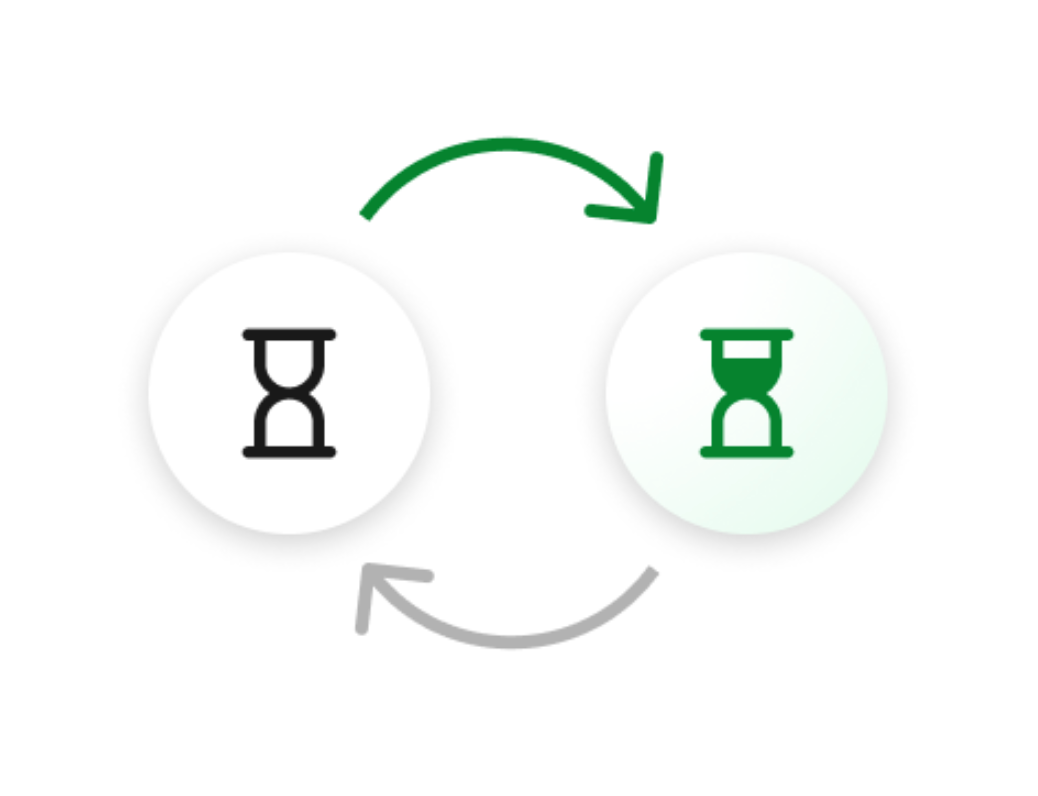
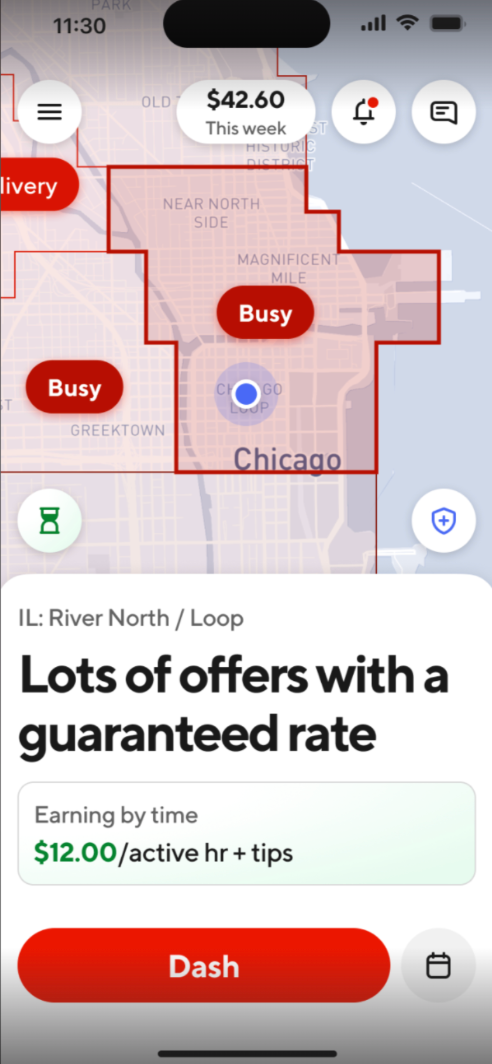
Choose the Earn by Time option when starting your dash. You can see the current guaranteed active hourly rate for your dash in your app before you start – all you have to do is click on the hourglass icon in the lower left side of your homescreen. Once you click it, it will turn green, which will turn on Earn by Time mode when you start your dash (see the ‘Example’ image below).
Once started, the active hourly rate is locked in and will apply to the entire Earn by Time mode dash session unless you choose to switch to another zone with a different rate in the middle of your dash session. Be sure to always check your app for the latest guaranteed active hourly rate. Also note that if Peak Pay is in effect, it will be added to the guaranteed active hourly rate until the incentive period ends.
Complete your deliveries. Accept offers to start earning the hourly rate you see in the app. Get paid for every minute, from the moment you accept until you drop off the order (or the order is canceled by a customer or merchant). Plus, keep 100% of any tips on top of that.
Get paid a guaranteed hourly rate while delivering. Earnings are based on the total delivery time spent actively delivering (from when you accept to when you complete an offer). You’ll keep any applicable promotions and 100% of your tips on top of that, though tips may be less frequent when you choose to earn by time. The active hourly rate is calculated so you can earn reliably to dash and meet your financial goals.
Decline limits. You can decline or unassign up to one offer every hour. If you decline or unassign more than one offer in an hour, your Earn by Time mode dash will automatically end. Your Earn by Time mode dash can also end automatically if you receive a contract violation during your dash. In both instances, you’ll still be able to dash in Earn per Offer mode.
Example


Frequently Asked Questions
Q: Why did DoorDash introduce Earn by Time mode?
A: Earn by Time mode was introduced to provide Dashers with an even more reliable way to earn while dashing. Dashers who choose to earn this way get the most out of their time on the road, while customers in their city receive their orders faster, improving the experience for all.
Please note that the Earn by Time mode is available in select cities in the U.S. Check your Dasher app to see if Earn by Time mode is available in your location.
Q: Can I lose access to Earn by Time mode?
A: Yes. You can lose access to Earn by Time mode if you receive multiple time-related contract violations while earning by time . For example, being late to pick up an order from a merchant or delivering an order to a customer may result in loss of access. Access to Earn by Time mode may be restored when a Dasher consistently completes on-time pickups and deliveries. While Earn by Time mode is locked, Dashers can still earn per offer.
Q: What does “active time” mean?
A: Active time is the time you're engaged in completing an offer, which begins the moment you accept an offer and ends once you drop it off to the customer, or when order is canceled.
Dashers using Earn by Time mode earn a minimum guaranteed active hourly rate, plus tips. This means that long waits at the merchant, unexpected traffic, or other delays don’t take away from your earnings.

Q: What is the difference between active time and dash time?
A: Three important things to know when dashing on Earn by Time mode are your active time, your dash time, and your idle time. Your active time is when you're engaged in completing an offer, which begins the moment you accept an offer and ends once you drop it off to the customer (or last customer if there are multiple orders) or the offer is canceled.
However, dash time refers to the entire time between starting a dash and ending a dash. This also means that your active time represents a portion of your total dash time. Lastly, your idle time is the time you spend when you are waiting for an offer.
To put it simply, your active time + your idle time = your dash time.

Q: What’s an example of how I would get paid?
A: Let’s assume the active hourly guaranteed rate for Earn by Time mode in your city is $14 per active hour ($14/active hr). You choose to dash in Earn by Time mode and begin your dash. After a few minutes of waiting, you accept a new offer and drive 10 minutes to get to the restaurant. You wait 5 minutes at the restaurant, then drive another 15 minutes to deliver the order.
In this example, you spent 30 minutes actively dashing, which includes the drive to the restaurant, the wait at the restaurant, and the drive to drop the delivery off . For your active 30 minutes, you’ll receive base pay at the rate of $14 per active hour, which comes out to $7, plus 100% of any tips on top of that. If your offer had a $6 tip, then you’d receive $13.00 in total pay for this offer. But because tips in Earn by Time mode may vary or be less frequent, the $14/active hour guarantee shown upfront is calculated so you can earn even more reliably to meet your financial goals.
Let’s take another example, still assuming the active hourly guarantee is $14/ active hour. This time you accept an offer where both the store and customer are nearby, so this offer only takes a total of 8 minutes between the time you accept the offer and the time you drop it off. In this example, you’ll receive $1.87 in base pay for the 8 minutes for this shorter offer as part of the $14/active hour guarantee, plus 100% of any tips on top of that. If the offer had a $4 tip, then you’d receive $5.87 in total pay for this offer.
Q: What time counts towards the guaranteed active hourly rate?
A: As mentioned above, the time you’re actively on a delivery counts toward your guaranteed active hourly rate. It begins the moment you accept an offer and ends once you complete the order or it is canceled. This includes any wait time at the restaurant or merchant. If you’re on multiple deliveries at once — such as a batched or bundled offer — you are paid the guaranteed active hourly rate starting when you accept the first offer to the time you drop it off.
Q: Can I earn more than the guaranteed active hourly rate?
A: Yes, 100% of any tips and available promotions will be on top of the current guaranteed active time hourly rate. This includes the Peak Pay incentive, which gives you the ability to earn more per active hour during certain times. When a Peak Pay incentive has been temporarily added to your guaranteed active time hourly rate, you will earn the guaranteed active hourly rate plus the Peak Pay incentive per active hour (together, shown in blue) until the Peak Pay incentive ends. After your Peak Pay incentive ends, you will continue to earn the guaranteed active hourly rate shown at the start of your dash(shown in gray) for the rest of that Dash, without the Peak Pay incentive added on top, plus 100% of any tips and other available promotions.
Q: Can I decline or unassign offers?
A: When you earn by time, you can decline or unassign up to one offer per hour. If you decline or unassign yourself from a second offer within the same hour, you’ll be given the option to end your dash or switch to Earn per Offer mode to continue earning. If an offer times out because you neither accept nor decline, this will count toward your one decline per hour.
However, if you’re already active on an offer, declining additional offers presented while you are completing that offer does not count toward your one decline per hour.
You can use the “pause” feature if you’re not in a position to accept offers. If you switch from Earn by Time mode to Earn per Offer mode and want to switch back in, you must wait at least one hour to start another Earn by Time dash.
Please note, that any declines made on Earn by Time mode – whether it’s your first decline per hour or your second – will count toward your Acceptance Rate.
Q: How will I get paid?
A: Dashers who dash in Earn by Time mode will see their pay details at the end of each offer. Base pay will be calculated using the guaranteed active hourly rate and your total time spent dashing— from when you accept an offer to when you complete it (or it’s canceled), including the wait time at the merchant. Any customer tips or promotions earned on top will be added on top of the base pay amount.
If you are on a batched or bundled delivery and one of your offers is canceled, you will see a portion of your pay details at the end of each offer. The remaining portion of your pay will be visible on the weekly Earnings tab under “Other” pay.
Your normal payout method will apply, so if you choose to get paid out weekly, you’ll see these earnings in your weekly payout.
Q: Will the guaranteed active hourly rate change?
A: The guaranteed active hourly rate may change by time of day or location, so check your app before you start a dash for the latest rate. Once you start a Dash, your rate is locked in. As always, any tips or promotions like peak pay are on top, though they may vary in frequency.
Q: What happens if I unassign from my delivery or it’s canceled?
A: If you unassign from an offer, you will generally not get paid for any of the time spent after accepting the offer, and the unassign will count towards your one decline per hour as well as your completion rate. Note that this will affect your completion rate.
However, if a customer or merchant cancels an order, you will be paid the guaranteed active hourly rate from the time you accept to the time the order is canceled, and it will not affect your completion rate.
Q: Can I switch back to Earn per Offer mode?
A: Yes! You can always end your dash and start a new one, and select how you want to earn.
Q: Is Earn by Time mode the same as the priority access benefit?
A: No, the priority access benefit is different from Earn by Time mode and is not available when you earn by time, though some high paying offers are still available. You can learn more about priority access for high paying offers here.
Q: Are there any other terms or conditions that I should know about?
A: We may modify or end the Earn by Time offering at any time and a Dasher’s access to Earn by Time mode is not guaranteed and may be revoked.
We reserve the right to delay payment for purposes of investigation and to withhold payment or deactivate the account(s) of any Dasher if we determine in our sole discretion that a Dasher has used or attempted to use Earn by Time mode in a fraudulent, abusive, or otherwise suspicious manner or in violation of any applicable law or regulation. Some examples of this kind of behavior include: failing to mark a delivery as “complete” on time, delaying pickup at merchant, or failing to leave a merchant in a timely manner.



