Peak Pay
Peak Pay
What are Peak Pay Incentives?
DoorDash may offer Dashers the ability to earn more by paying an extra amount per single or batched delivery accepted when the incentive is in effect.
How do I qualify for Peak Pay?
Sign up to dash during the dates, times, and areas offered. Active Peak Pay incentives will be displayed on the Dasher app:


What if there are multiple Peak Pay Incentive opportunities happening at the same time?
If there are multiple Peak Pay Incentive Opportunities in the same starting point you will receive a combined Peak Pay.
Below is an example:
Incentive Opportunities Earn $2 extra in San Francisco between 11AM–2PM Earn $1 extra in San Francisco between 11AM–2PM Results You qualify for two incentive opportunities for $2 and $1 extra, you receive $9 extra! $2 extra + $1 extra = $3 extra per delivery x 3 delivery = $9 total |
If there are multiple Peak Pay Incentives in different starting points, you will receive the Peak Pay Incentive based on where you started your dash.
Below is an example:
Incentive Opportunities Earn $1 extra in Fremont/Union City/Hayward/Castro Valley between 11AM–2PM Earn $2 extra in Oakland/Berkeley/Alameda between 11AM–2PM Results You dash in Fremont/Union City/Hayward/Castro Valley between 11:15AM–12PM. Your last delivery was in Oakland/Berkeley/Alameda. Since you started your dash in Fremont/Union City/Hayward/Castro Valley where the Peak Pay was $1, you receive $1 extra for each deliveries for a total of $2 extra! $1 extra per delivery x 2 delivery = $2 total You start a new dash at 12:15PM in Oakland/Berkeley/Alameda, and completed 1 delivery in Dublin/Pleasanton/San Ramon/Livermore. Since you started your dash in Oakland/Berkeley/Alameda where there was an active Peak Pay for $2 extra, you will receive $2 extra even though you ended your dash in area without an active Peak Pay. $2 extra per delivery x 1 order = $2 total |
When and where can I see my Peak Pay earnings?
Calculations of Peak Pay occur when you have completed a delivery:

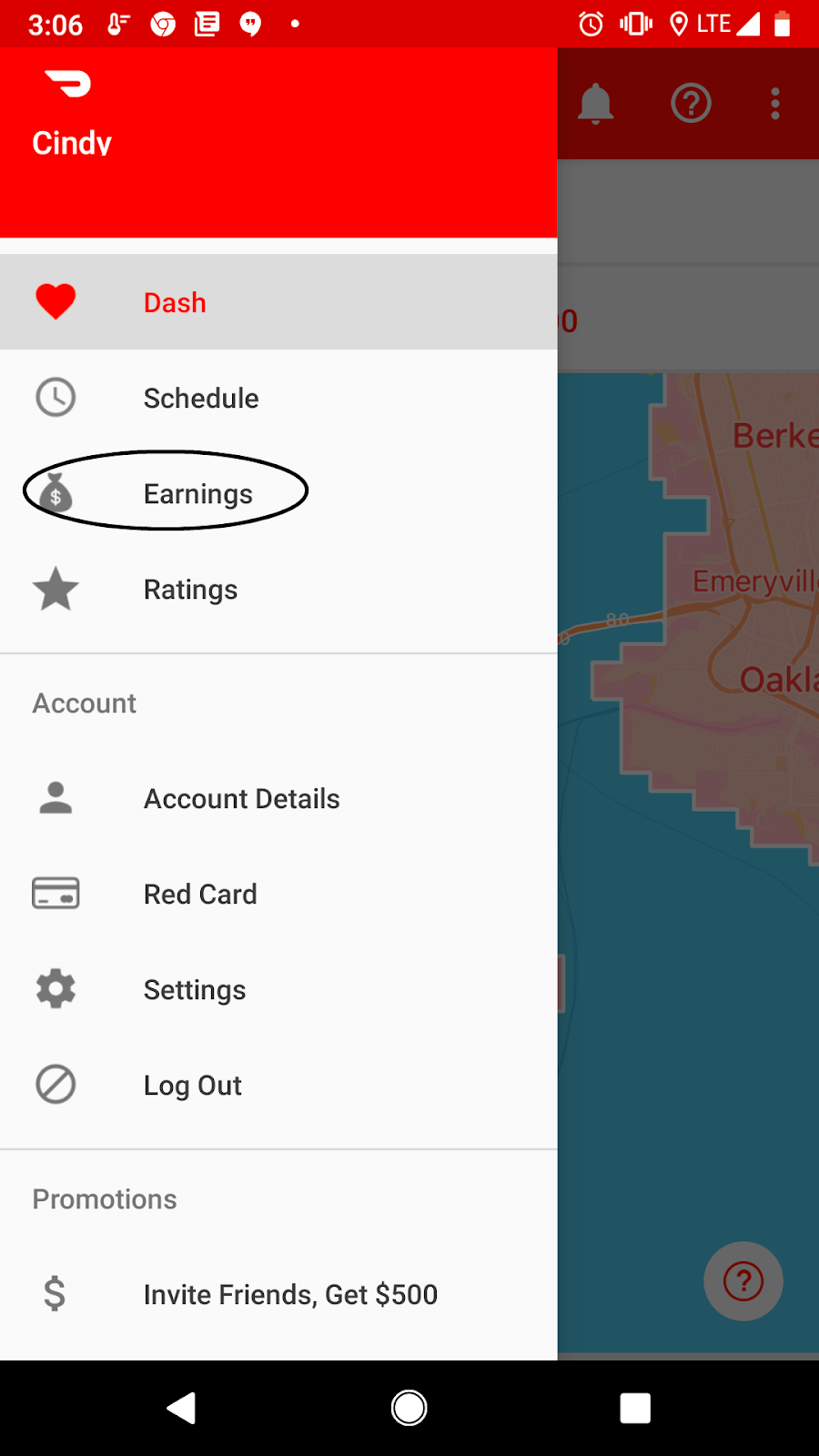
Go to Earnings in your Dasher app to view more details on the Peak Pay. To view your Peak Pay earnings:
Navigate to Earnings
iPhone: Tap Earnings on the bottom Menu bar.

Android: Go to Menu on the top left hand corner then select Earnings

When do I get paid for Peak Pay?
Dashers get paid via weekly direct deposit or can opt to cash out after a dash using Fast Pay, if applicable. Please see our When do Dashers get paid? page for more information.



