Order History
In this article
Downloading Your History
Understanding Your Download
Contact Us
Download your team’s billing history for easy budget tracking, or to import into your company’s expense management system, by accessing the Billing History page within your Benefits Portal.
Your billing history is available for the current month and previous 3 months in both CSV and PDF format.
To request your team’s history prior to the last 3 months, please email us at [email protected].
---
How to Download Your Team's Billing History
1. Navigate to your team’s Work Portal by heading to your ‘Benefits’ tab and clicking ‘Go to Admin Portal’.
2. Click the ‘Billing History’ tab.
3. Select ‘Download’ next to the desired month, and select the format (PDF or CSV) you wish to download the file in
4. Open the downloaded file and view your company's billing history!
---
Understanding Your Billing History Download
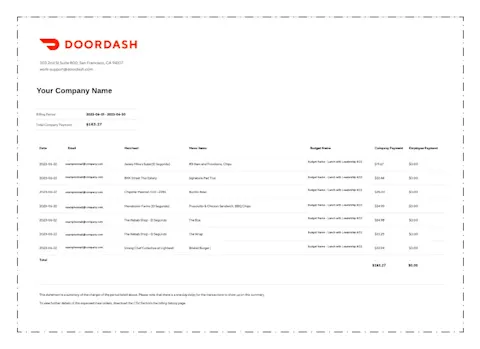
Your billing history will download in a zip file, which you can then Unzip to open the PDF or CSV file accordingly.
CSV
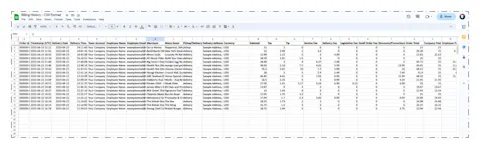
(Billing History Example in CSV Format)
In either format, you will be able to view orders by date, employee name, employee email, restaurant ('Merchant'), and delivery address.
View which budget each order was applied to under the Budget Name column.
If you require your employees to submit expense codes for each order, you will see them in the Expense Code column. (CSV ONLY)
Values in the Company Paid column are what the company was charged per order.
Please note, all orders are captured in the UTC timezone (‘Timestamp (UTC)’ column). Invoices for each month will match the billing history in this download according to the UTC timezone date.
You can import the data into your expense management system, or sort by date, employee name, budget, etc.
---
Contact Us
For further assistance, please contact your Doordash representative, or email us at [email protected]. For time-sensitive issues, call (855) 830-5429.
For help with a live order, click here to contact our live support.