Package Pickup

2 min read

How it works: Package Pickup

Where: In the U.S. at UPS, FedEx, USPS

Deliver a Package: Pickup and Dropoff Packages

Deliver a Package is another way to Dash! Across the United States, Dashers can pick up prepaid, fully sealed, lightweight packages for customers and drop them off at the nearest Fedex, UPS, or USPS drop-off location. It’s fast and easy for Dashers - there’s no waiting in line to pick up or drop off orders.

How it works:

  1. Get Ready To Dash: Getting queued for Deliver a Package orders works exactly like other ways to Dash. When a Package order is available, you will see this acceptance modal reminding you to first pickup the package at the customer’s address before heading to the selected UPS, USPS, or a FedEx.
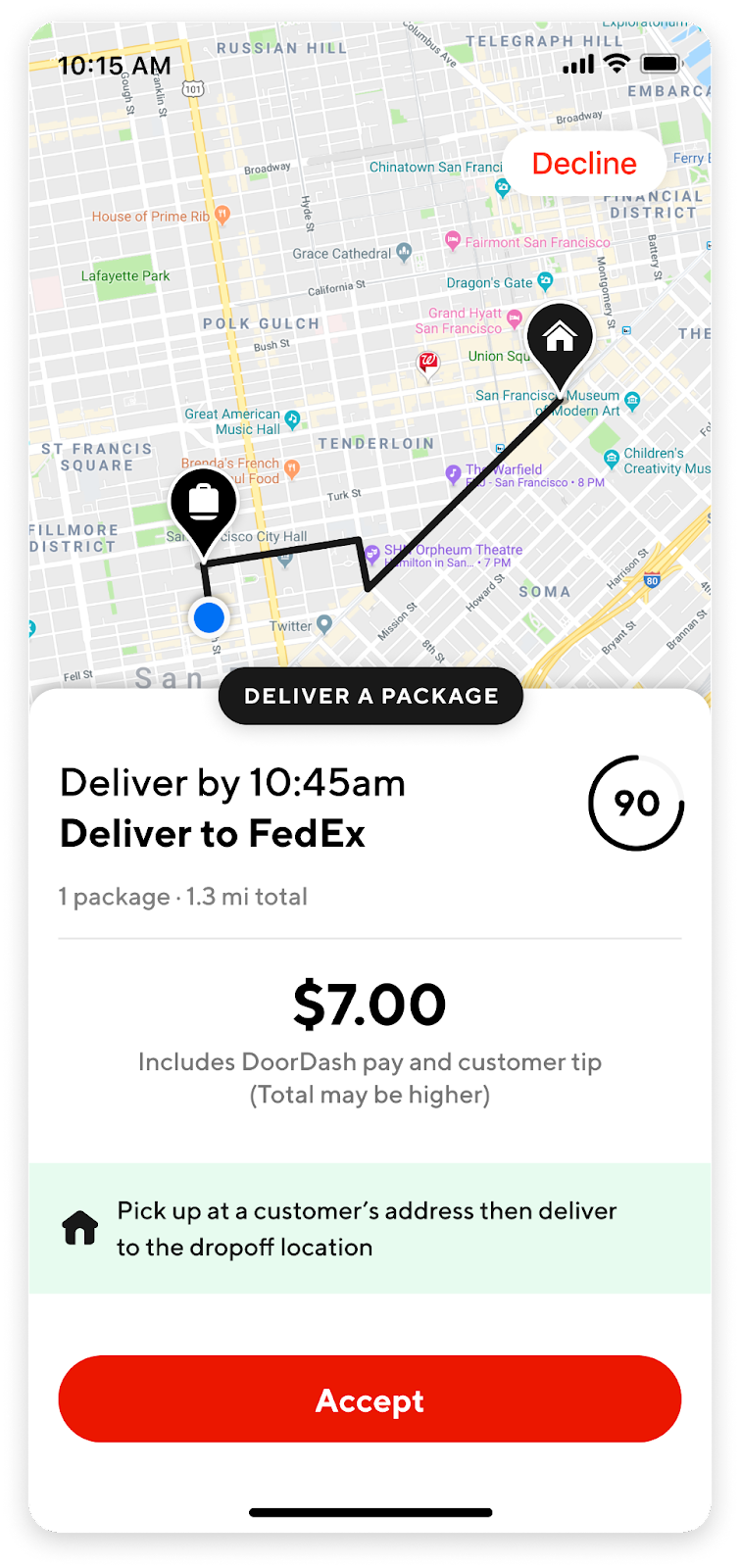
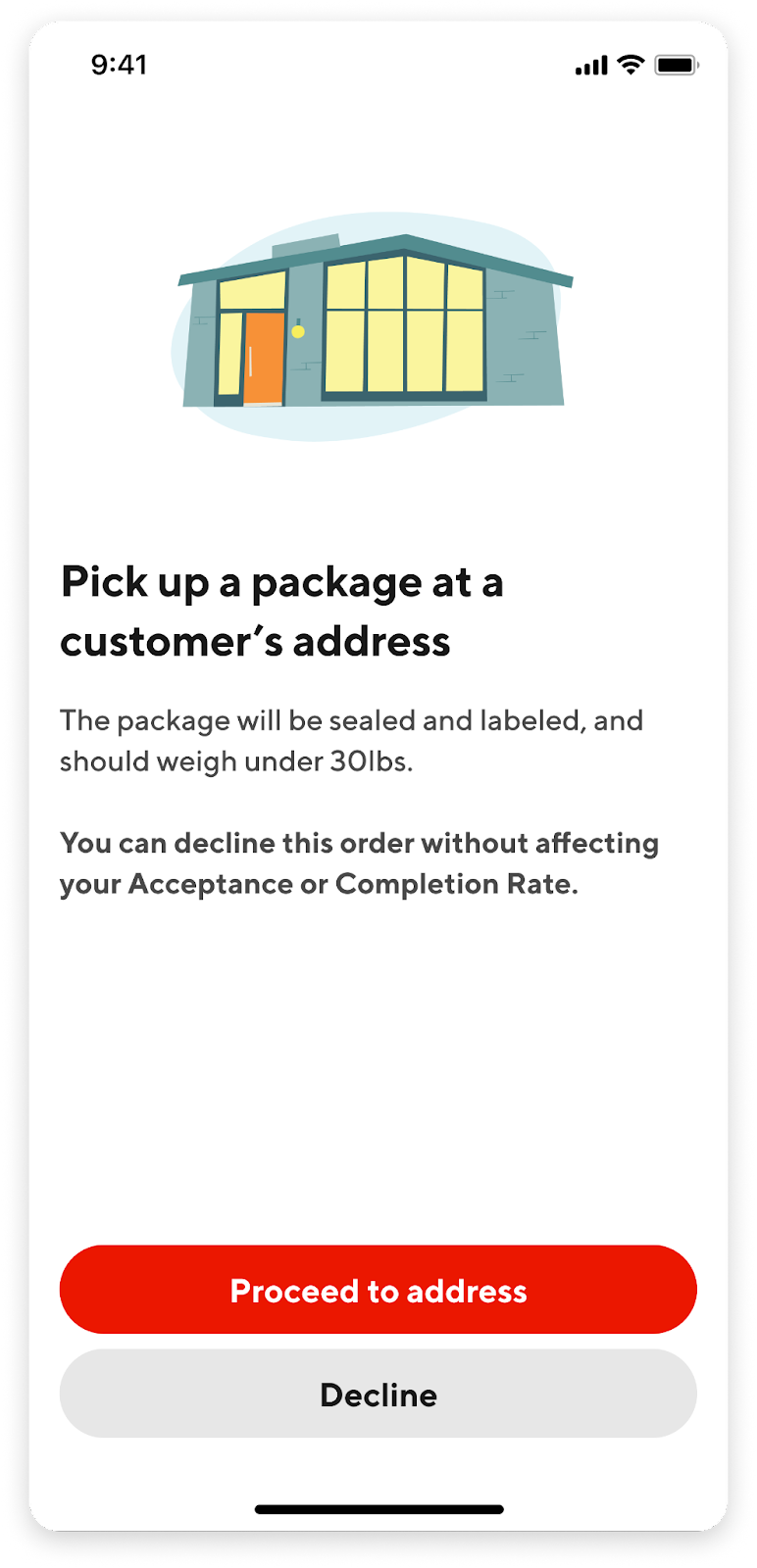
    Migrated from Salesforce: https://lh6.googleusercontent.com/c4MaaFGddQQrY3KOSH08EvsIOgXDVagHqyOiknD5JSjvfMyz0D6RceuiYTqK80PDTSqHEKPbkXEKdqyMT14p_BmEWNQqgdov4zK-FATTQkvW8ph8t2VwYMhhHCvsKBjMjyYJx9qHzoVyZAULx41vaYT5wtxdY5Tu3Vd-irvfNAV5tSt4VOmkbL8X2cnDOQMigrated from Salesforce: https://lh3.googleusercontent.com/CBzPTw3JjjP9unyPZAQQOu3STWInamNFCgS8LJpnR-2C8c6pPPBeSa68YLZAZE74Ob0oteKQZtdbwd_X6Cl2x5k4kGkxY7dMzZ6tq5xkxgyaupMBNl0A8n3kqjL5XgoFmfD1Kh1Lm6fOMzB-2fIESnf5x_2fQlGrXYz4OaFT5U0ejIEAtV1G9rrmKuLOsA
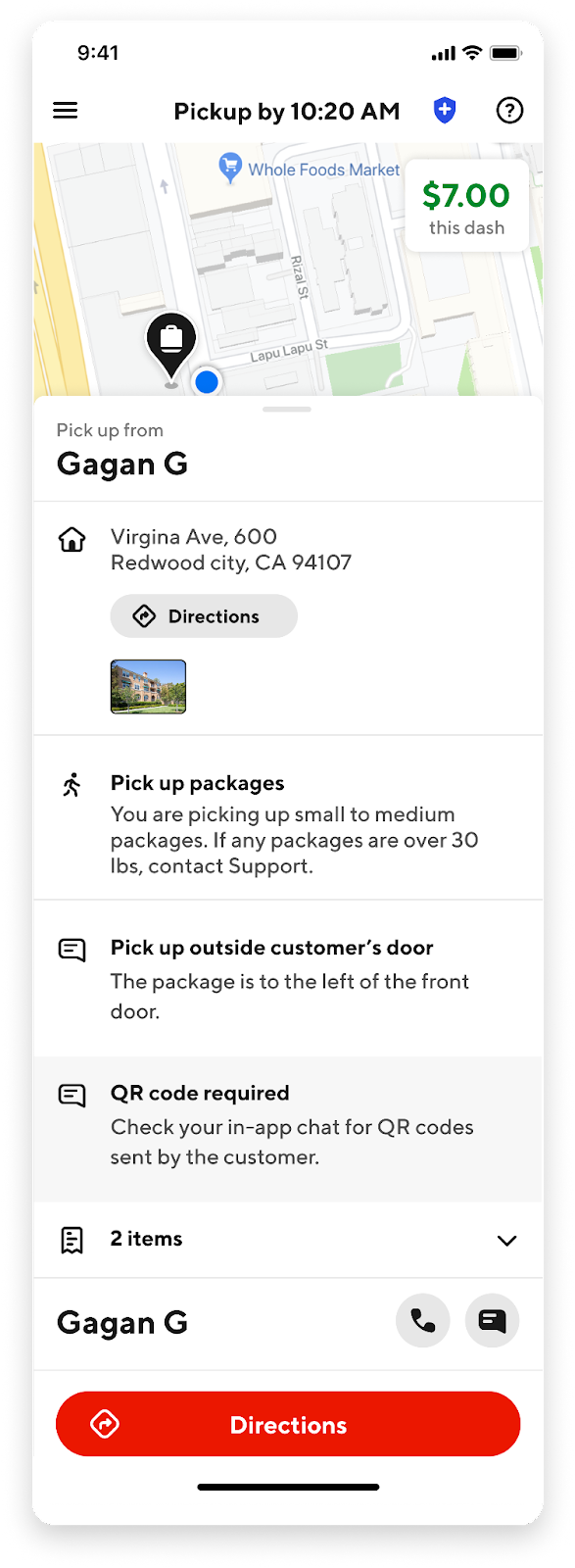
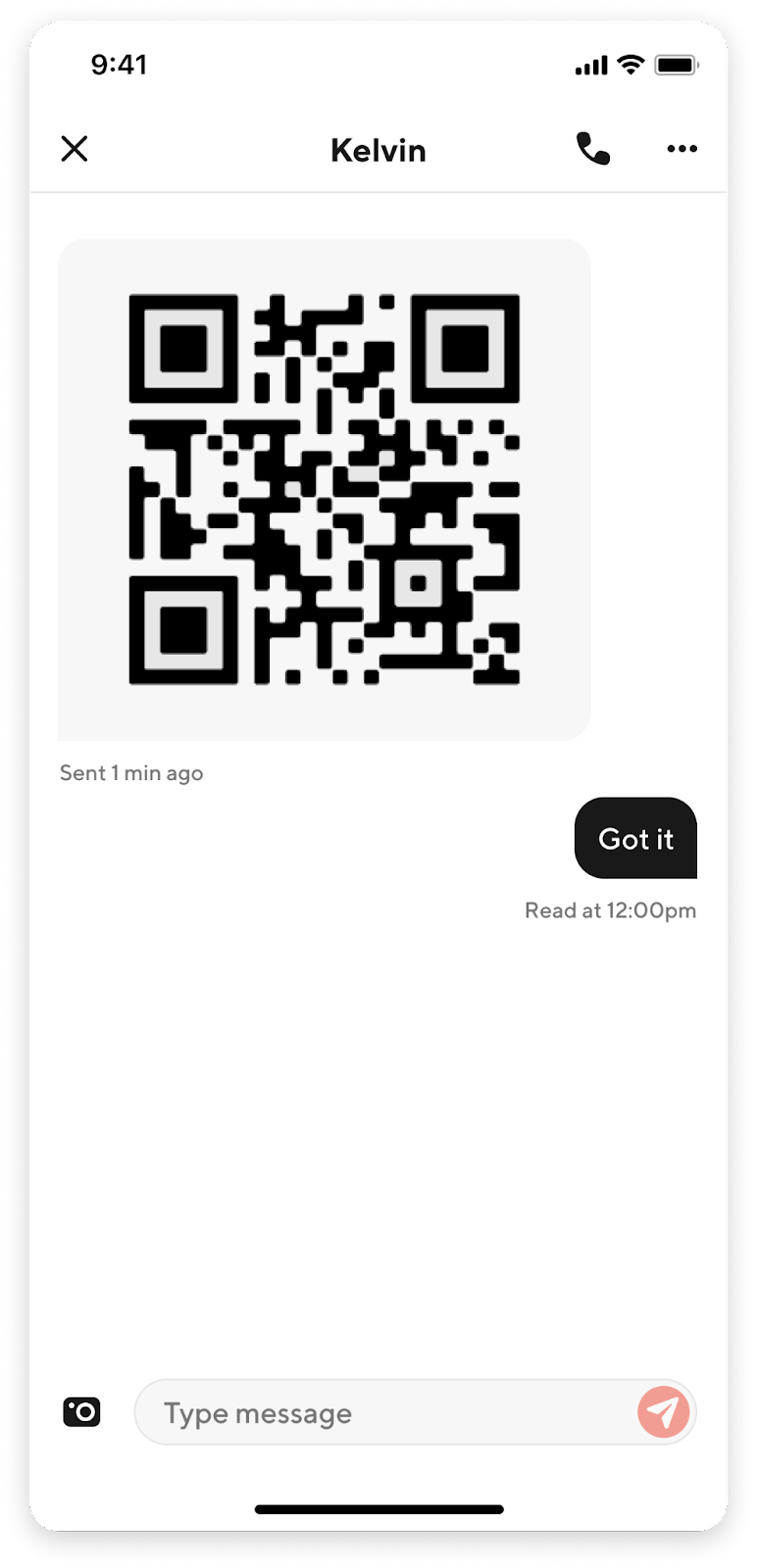
  2. Package Retrieval from the Customer: Once the order has been accepted, head to the address listed by the customer to pickup the package.
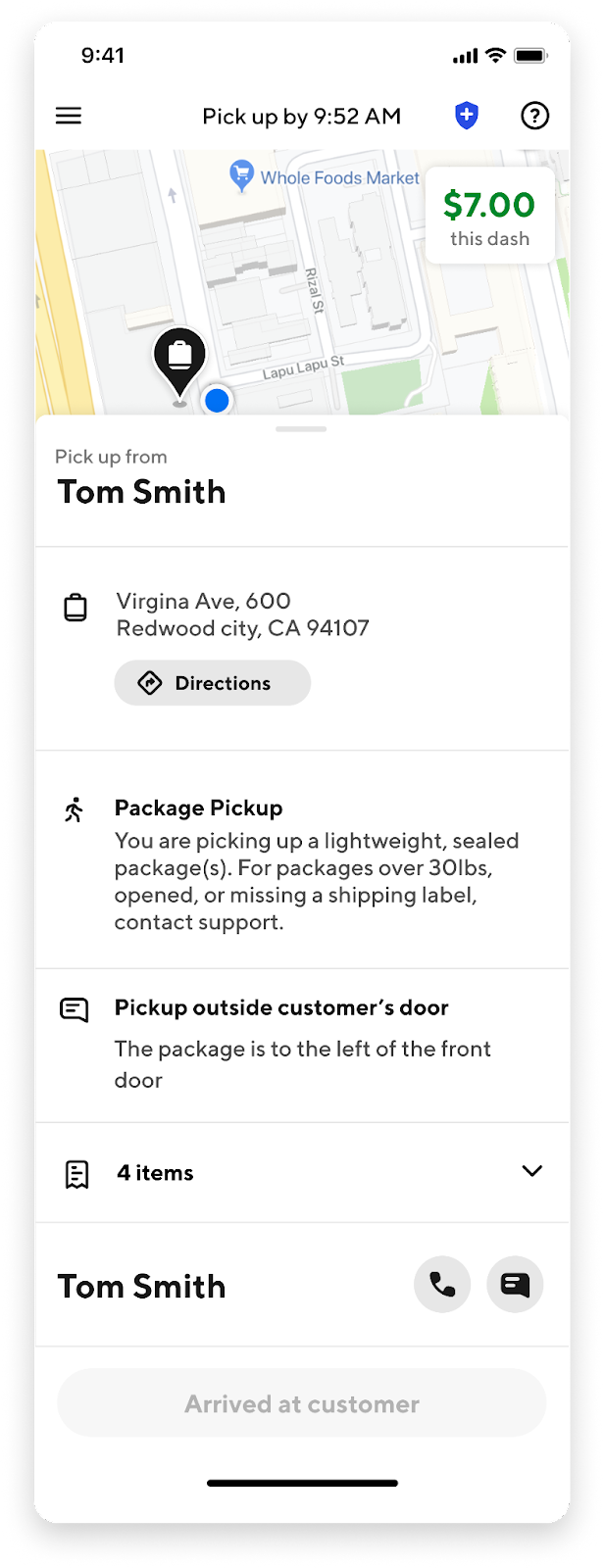
    Migrated from Salesforce: https://lh3.googleusercontent.com/H-eJo9VYr-pKkPi-TthE6wewoxEdtVSWfAF-MivKsXje1RPTx6dEnsWPfgA9nRX6Irx3egtogz0mw956XS8tT3xwDbvuAhS7ldNJRP0mH-jZgjL5ClOXBWdkBcQO21mUoF7Vo3YXUTCZYxxYafFbjAgCNaNYddnLC_-p6vDPlIfRjsnmIbW892R6qh6P5wMigrated from Salesforce: https://lh6.googleusercontent.com/tuAmEpZ1M6FHDji-dltuGNiREXN6IT0SP6K7ZKZB3PznMnRY0kC5_h9_fyDaPC5BWluXgKS5O8UhBBOsuE6-LNYqDSHCjEgeKBdE5vKaLRivl-TPGmBQQf3ZIwklDombVELQfZFrML6rb6iej0RCxA2ojiifZnXQiGjOS0wpK2DFAVrEMrd3qw4wqPNbMAMigrated from Salesforce: https://lh5.googleusercontent.com/tsi-cohqDN7bB0MIO3RYEv_AbDke1h2Ef7DrX8UtgTlql6vmI181Eu-pWbCigFqT7PLJ6ySv_jB5em1F_ykHuq-O7kvGSYLtxhgFzvtYN4Fxxtm5FKoD9WJF1XvwIP8crysjM62rUP42ep_ozsoBQz9y4mcimJyZcUtG-ENbXJzPr1XtSjMiF4a7elKgKg
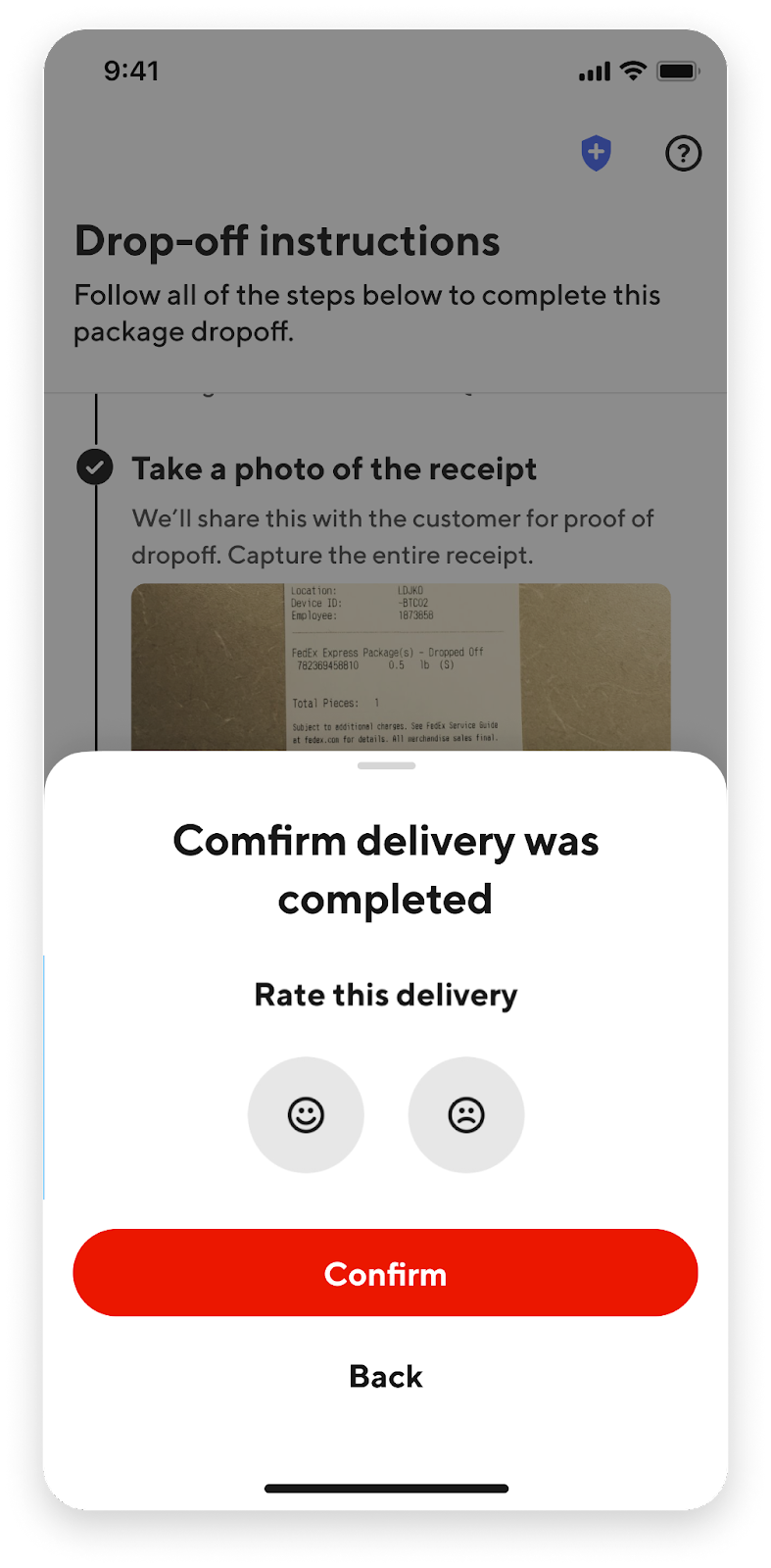
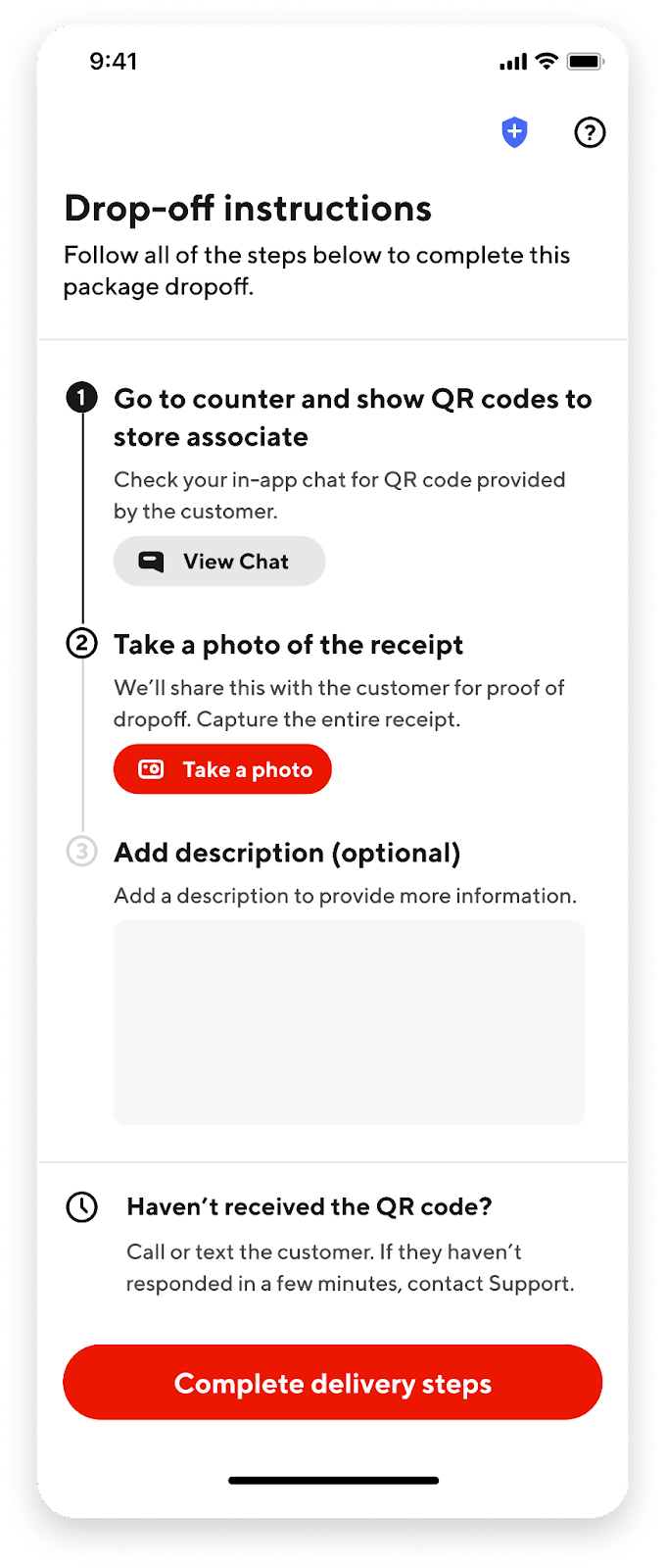
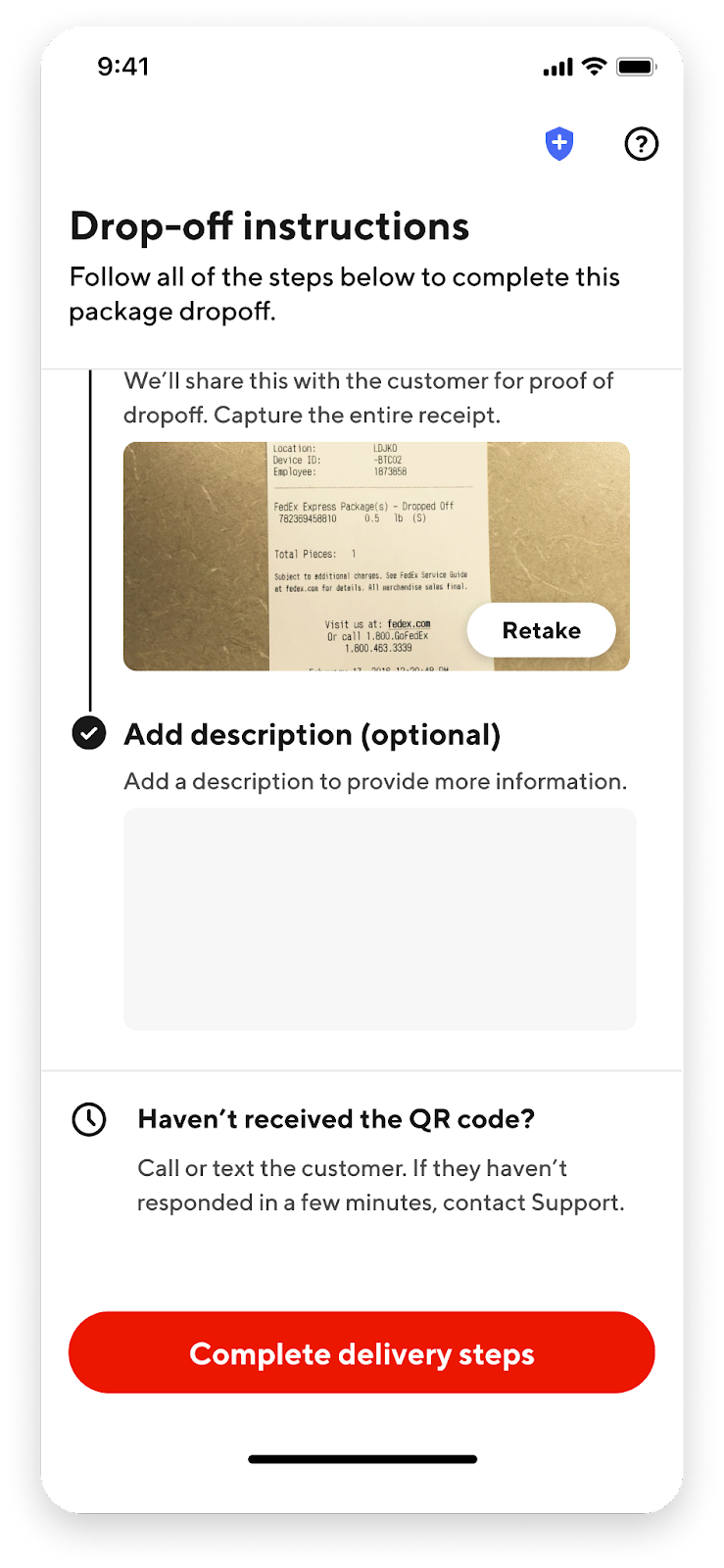
  3. Drop-off at the Mail Carrier: Upon retrieval of the package, head to the address of the mail carrier for package drop-off. Please take a photo of the receipt to send to the customer to conclude the Package Pickup.
    Migrated from Salesforce: https://lh6.googleusercontent.com/R96dosd6UGAoIzI70ll7mSpt46oO6OEHuCApDRNe3lJpHhzuiweEbCRPXRUsr2mky701cog87anF2vHcvAWJ3Cs6sw3uRCKefVXP_J9tpYjlOVa780pzZJd8MBTBtNP1NR2xGaYAR60rHgybf9tMLmt9vyBU5cOTrucr3o9uTAyElcg4gqwhHu8ZPyXXcQMigrated from Salesforce: https://lh6.googleusercontent.com/QHqzfmvTyR9eot_y6tZb_lThfy0FEBnOzgDi7qOK8M8UKEBt-eVQnpdNokCojYkm4X7clW56u9JkLdfkz70Fam_HLyGOlvCy87N5BkqcdhKk9_KkMYpMZc_1ff36fXgkDHJESNfjvu1x43iOHlfNJAc0xKBigxRDx0VDOi83ArieBs7fDWV4OHmmcFDCRQMigrated from Salesforce: https://lh6.googleusercontent.com/Hu0ogfkpCXiZyjWAlL6qrlZcFmdOW3W_tsjeIumb3skQriIqwo7FLaWb14oCdLO7QgFJbXT0F7bKlhmZ-rRUHKq-JoJdUEiKKcdwX5WJ19u-YbLc2ttKLNaCPQxyexD0QS9IzKRjqoskLzqSmiuOG8aVwQC1c54jqibc5ABihiZt-xkwHGDOy32G2jCf0A

Pro tips: 

  • Confirm the pickup instructions with the customer beforehand! If it is a QR code, the customer must provide that to you via in-app chat. 

  • The packages should be sealed unless noted otherwise. Take a photo or note how many packages are being picked up before heading to the desired mail carrier.

Frequently Asked Questions

Q: I have accepted an order, but the customer is unresponsive. What should I do? 

A: Review the pickup instructions and head over to the address. If you have additional questions (e.g. package was not sealed), please contact the customer once more before contacting support. 

Q: The customer expected me to have packaging material. Am I supposed to head to the mail carrier first? 

A: The customer is informed during the ordering process that they are responsible for preparing their package before Dasher arrival. If the package is not prepared and the customer is unable to do so, if the customer does not have the packaging material, proceed to Item not ready workflow.


If you can't find what you are looking for:

Can't find what you are looking for?

Our chat and call support are available 24/7

Looking for Dasher gear?

Get Dasher essentials like Red Cards, hot bags, pizza bags, and stickers