Cash on Delivery Overview and FAQ
Earn cash on deliveries
You can now earn cash on DoorDash deliveries. Put money in your pocket instantly and opt in or out anytime.
How it Works
Opt-in to start receiving orders that pay cash.
Go to the Account tab in your Dasher app. Under Delivery Preferences, toggle on Cash on Delivery Orders. You can opt in or out any time you want, with no impact on your ratings.
Accept and pick up
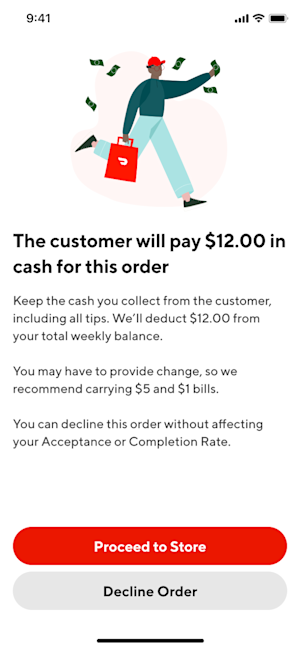
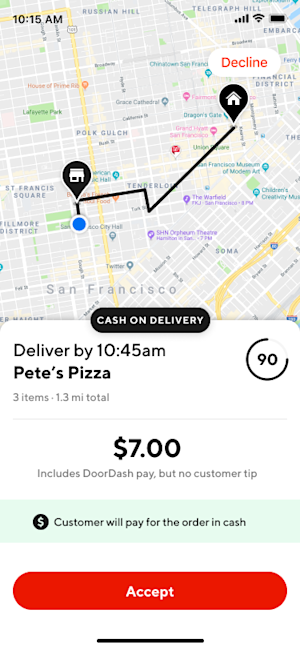
Look for orders that say Cash on Delivery and accept just like any other order—the only difference is you’ll get paid in cash when you drop them off.
Get paid the minute you deliver the order.
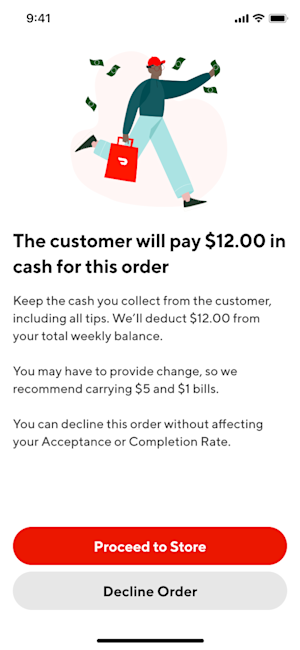
Once you collect the payment, you’re done. Keep 100% of the cash (including any cash tips). The money you collect is yours to keep, and the order amount will be automatically deducted from your next direct deposit. You can check your weekly earnings breakdown to see any cash amounts deducted. Note that any and all tips are yours to keep and won’t be subtracted from your earning balance.


Frequently Asked Questions
Q: Do I have to accept cash orders?
A: Cash on delivery orders are fully optional. You can turn your preference on or off as often as you’d like, whenever you like. When you opt in, you may still decline these orders at any time with no impact on your ratings.
Q: How do I get paid?
A: The customer will pay you in cash, plus any cash tips, for delivering the order. After you’ll keep 100% of the cash you receive, and the order amount will be automatically deducted from your next direct deposit. You can check your weekly earnings breakdown to see any cash amounts deducted. Note that any and all tips are yours to keep and won’t be subtracted from your earning balance.
Q: Do I need to carry change?
A: Customers are asked to have the exact total plus tip ready to ensure a quick and easy drop-off experience. In case they don’t have the exact amount, we recommend carrying $10-15 in small bills.
Q: What should I do if I have an issue collecting the cash payment?
A: If you encounter an issue:
Tap Issue Collecting Cash Payment in the Dasher app and select one of the options: Customer was short on cash, I do not have any change, Customer unavailable, or Customer refused to pay.
In those scenarios, do not collect cash from the customer. DoorDash will provide a base pay for the order, and your completion rating won't be affected.
Discard the order if the customer was short on cash, unavailable, or refused to pay. You may deliver the order to the customer if the issue is “I do not have any change.” Remember, you’ll still receive your base pay for the order, and your completion rating won’t be affected. If the customer has questions, direct them to contact DoorDash Support.
Q: What should I do if I have an issue collecting the cash payment?
A: If you need help, we’ve got your back! Reach out to Support anytime through the Dasher app. If you feel unsafe at any point during your Dash, SafeDash is available to you 24/7:
The “safety reassurance call” connects you with a safety agent through the Dasher app. The safety agent will remain on the phone until you feel safe.
The “emergency assistance button” enables you to seek help if needed. Upon clicking the button, a safety agent will contact 911 and discreetly stay in contact with the user via text messages.



