Prescription Deliveries Requiring a Red Card
This article only applies to prescription deliveries that require a Red Card (currently only in Chicago, IL). If your prescription delivery does not require a Red Card, please click here.
Prescription Deliveries Requiring a Red Card
Prescription deliveries that require a red card operate just like normal shop and deliver deliveries, with a few important differences.
Frequently Asked Questions:
Q: Am I eligible to deliver prescriptions?
A: Yes! At this time, all Dashers are eligible to deliver prescriptions. However, you do need a red card in order to complete this type of prescription delivery.
Q: Are there any special processes for prescription orders that require red card?
A: There are some unique protocols for these prescription orders:
All orders must be picked up at the pharmacy counter.
The app will instruct you to head to the store’s pharmacy counter.

You must show the pharmacist the pickup screen, which can be accessed by tapping on the prescription item in your shopping list.
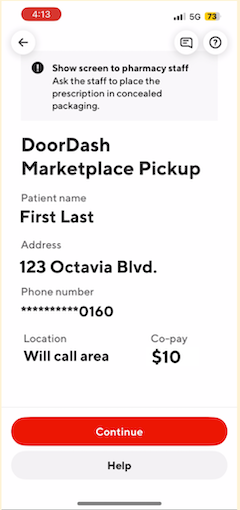
Sealed packages
All prescription deliveries should be in sealed, non-transparent packages (so you won’t be able to see the contents).
Packages should be sealed by the pharmacy and opened only by the Customer for privacy reasons. If the pharmacy does not seal the package at the pharmacy counter upon pick up, we ask you to please request tamper-proof packaging be provided for the medication before you take it.
If the pharmacy hands you a damaged or see-through package, we ask you to please remind them that sealed, non-transparent packaging is required. Contact DoorDash Support if you need additional assistance.

Q: How do I know this is a prescription delivery that requires red card?
A: You’ll know if you received a marketplace prescription delivery request because the acceptance screen will note “this delivery contains medication” and the delivery will require you to have a Red Card. Additionally, upon acceptance, the pickup instructions will direct you to go to the pharmacy counter.

Q: Do I need to use my Red Card?
A: Yes, for prescription deliveries, the app will prompt you to swipe your Red Card. Make sure you press “Proceed to checkout” and see the following screen before swiping your Red Card.

Q: What if I do not want to accept a prescription delivery?
A: No problem at all. You are not required to accept any deliveries that you do not want to handle.
Q: What do I do when I get to the customer?
A: Your Dasher App will prompt you to follow one of the following protocols, depending on whether the customer is available at the delivery location:
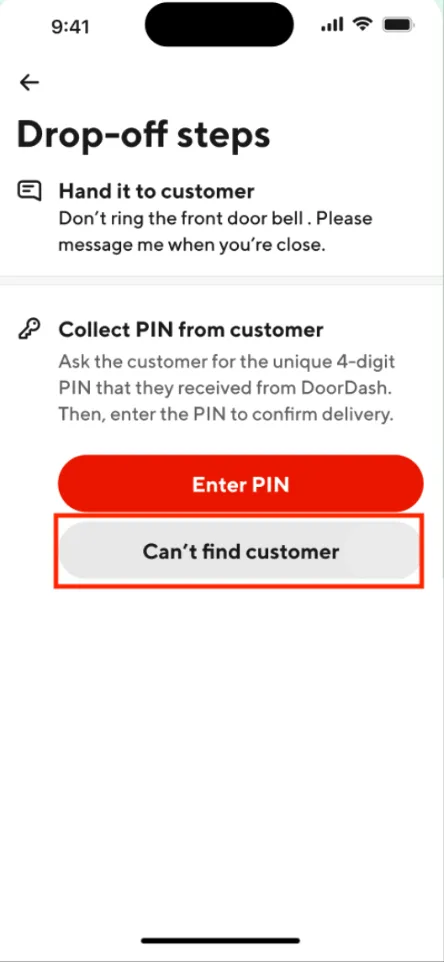
When the customer meets you at the delivery location, you will need to ask them for a 4-digit PIN they received from DoorDash to then enter into the Dasher App to complete the delivery.


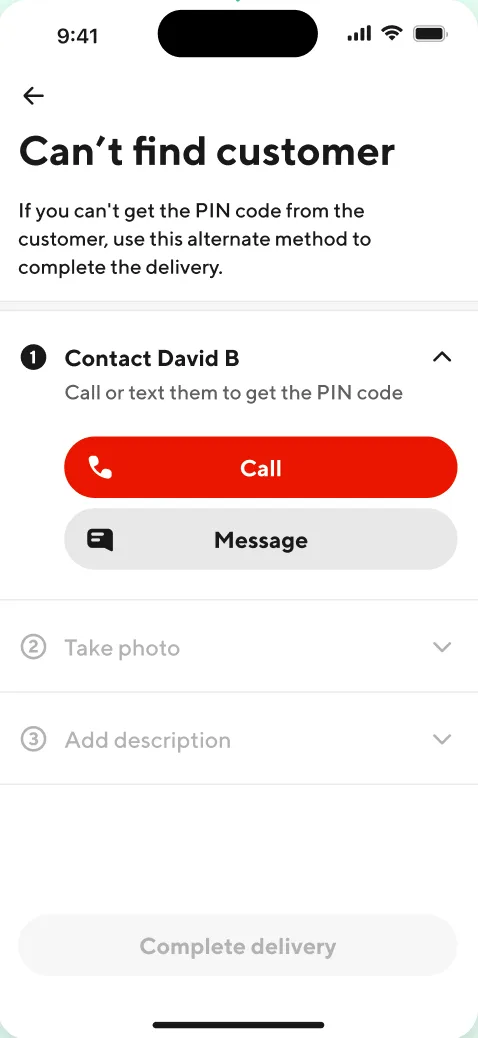
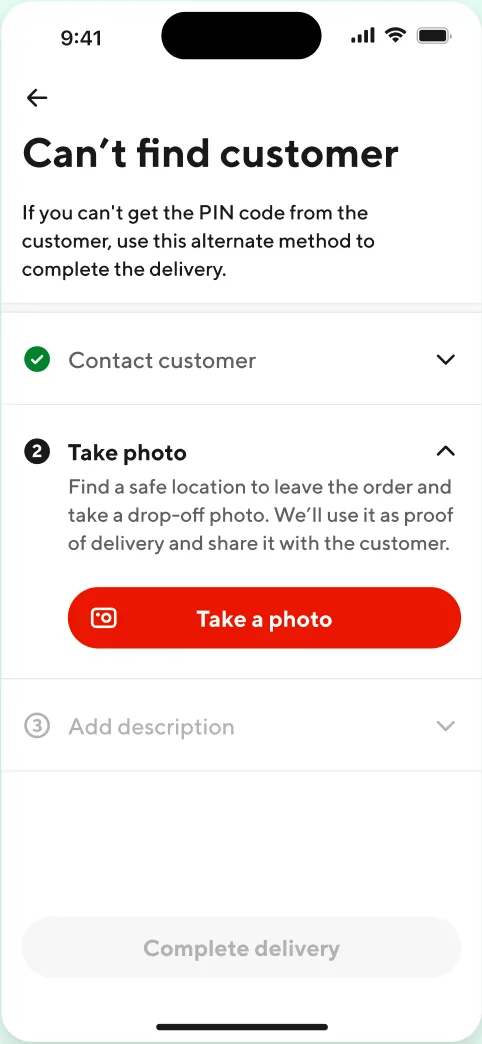
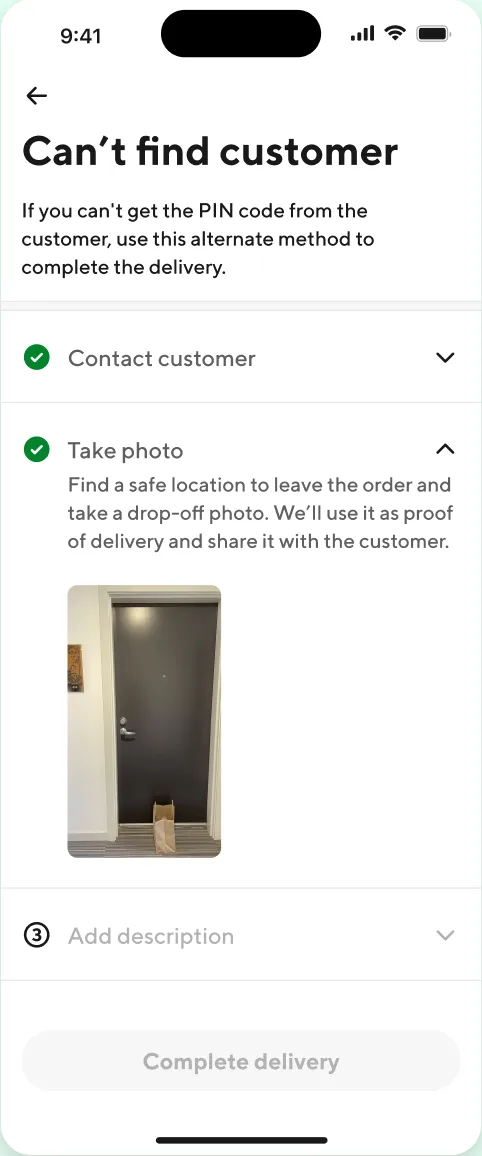
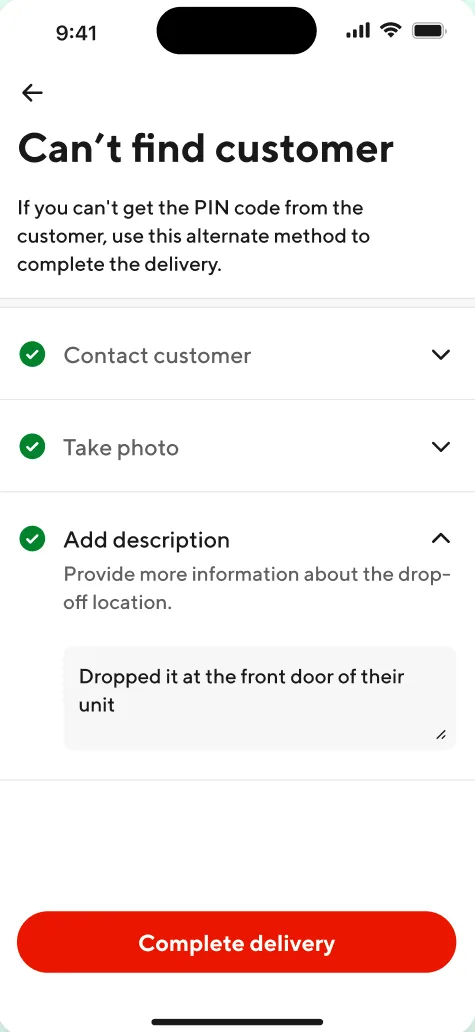
If you are unable to locate the customer at the delivery location, select “Can’t find customer” in the Dasher App. You will be prompted to call or text the Customer to try and meet them for a hand off. If you are still unable to reach the Customer, please follow the prompts in the Dasher app and leave the order in a safe place as close to the delivery address as possible, and provide details and take a photo of where you placed the prescription.
|
|
|
|
|
Technical/App Issue: If you have any technical issues, please chat DoorDash Support so an agent can help you.



