How can I check the status of my Credit or Refund?
How do Credits & Refunds work at DoorDash?
Credits:
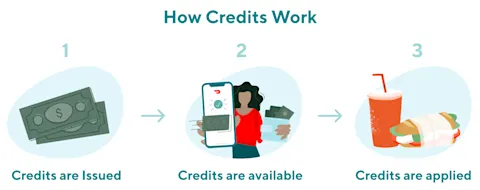
Once credits are issued, they are applied to the account which was used for the original order.
Credits are available immediately and will automatically be applied to your next order.
To view your credit balance on the app:
DoorDash iOS users
Sign in to the DoorDash app
Tap on the Account icon at the top
Tap on "Payment"
You will be able to see the total amount of DoorDash credits
DoorDash Android users
Sign in to the DoorDash app
Tap on the icon in the top left-hand corner
Tap on "Payment Methods"
You will be able to see the total amount of DoorDash credits
Caviar website users
Log in and navigate to Payment , and your Credit Balance will be displayed under your payment card details.
Caviar app users
To check the credit balance on your account, log in and navigate to Account, scroll to Payment and your Credit Balance will be displayed under your payment card details.
Refund:
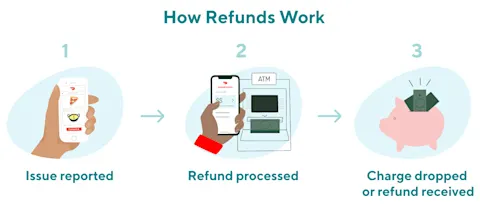
After a refund is issued, when you’ll receive it depends on when it was issued and the processing time of your specific bank.
If the charge still shows as ‘Pending’ on your statement, it can take up to 3 business days to be removed, depending on your bank.
A “Pending” charge means that the funds have been authorized, but they have not yet been fully taken from your account.
In this case you will not see a refund, but the pending charge will disappear.
In the case of a partial refund, the pending charge will be replaced with a new charge for the updated amount.

If the charge no longer shows up in the ‘Pending’ section on your statement, this means it has been posted to your account. If this has happened, it can take 3–10 business days to be refunded, depending on your bank.
This refund will appear as a negative charge on your statement
How will I know I have been issued a Credit or Refund?
Once your refund is issued, you will receive an email confirmation that details the refund issue date and refunded amount.
This will be sent to the email associated with your DoorDash / Caviar account.
On iOS, you can open the DoorDash app, click into Orders → Order History to see the receipt, refunded amount and refund issue date for the order.
On Web, you can visit DoorDash.com, click the three lines on the left corner of the homepage and click into Orders. In Orders, you see your Order History and by clicking into the specific Restaurant you can see the receipt, refunded amount and refund issue date for the order.
Using the above two methods, you can check to see if your charge is still pending
If the charge is still Pending, you should expect it to be removed within 3 business days from the date listed in the refund email and in the app, depending on your bank.
If the charge has been posted, you should expect your refund to appear on your statement within 3–10 business days from the date listed in the refund email and in the app, depending on your bank.
If it has been more than 10 business days from the date listed in the refund email and in the app, please contact support so we may assist you.
Still have questions? We’re here for you! Click here to contact our live support.



