Equipment Verification
Large Order and Pizza Equipment Verification
Dashers with pizza bags and/or catering bags will receive an email and an SMS text about the new equipment verification update. This will help Dashers easily complete certain deliveries and identify if the delivery requires special equipment.
How does it work?
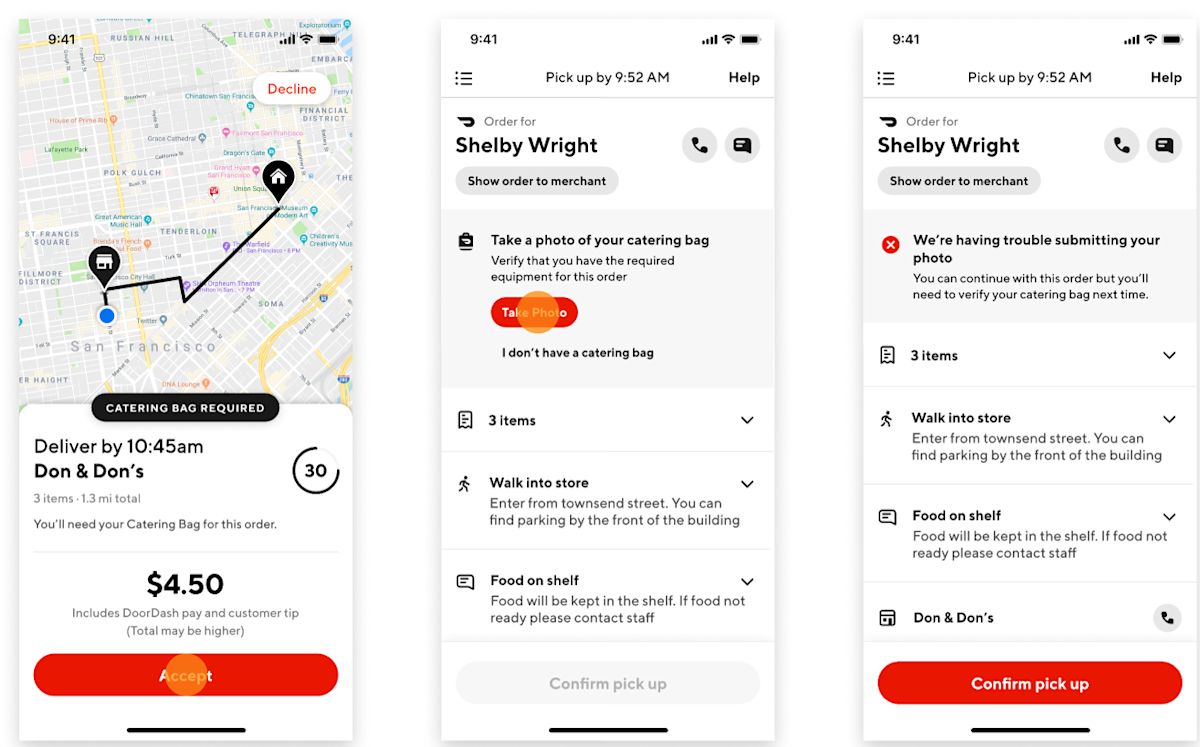
When you receive a delivery opportunity, you will be able to see whether or not the delivery requires special equipment.
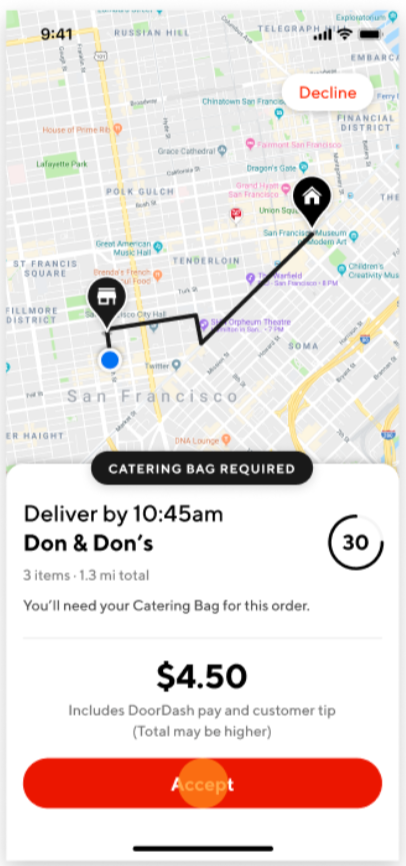
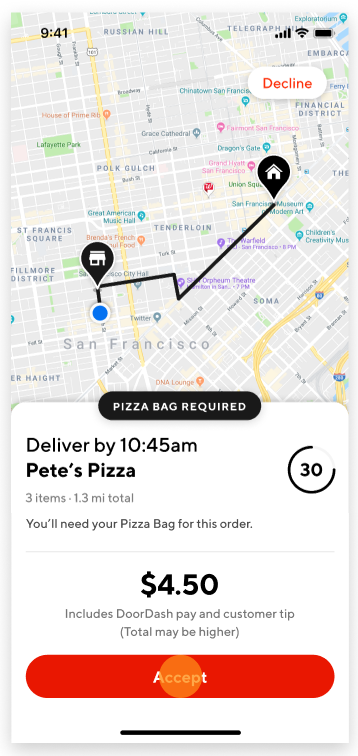
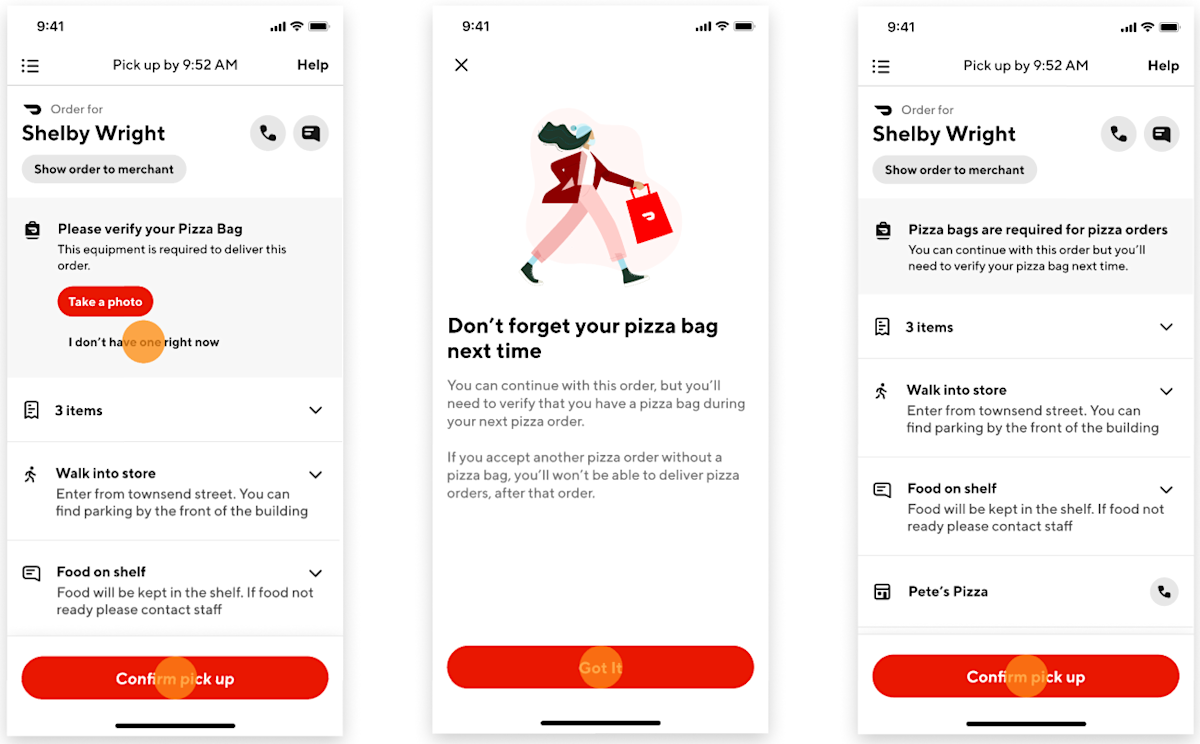
The app will prompt you to verify your pizza/catering bag.
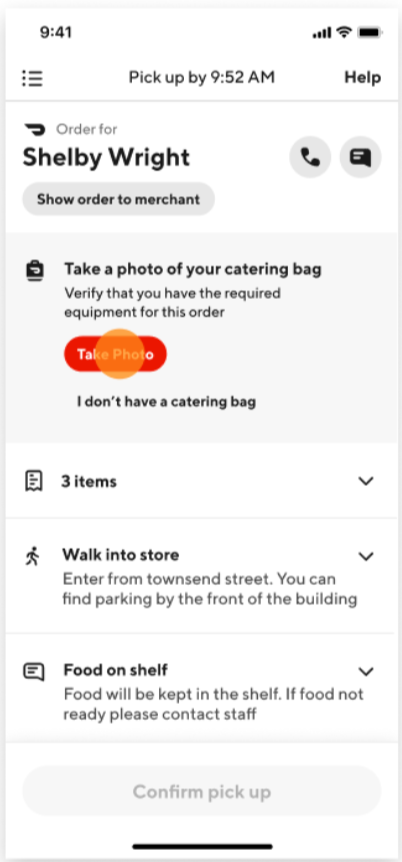
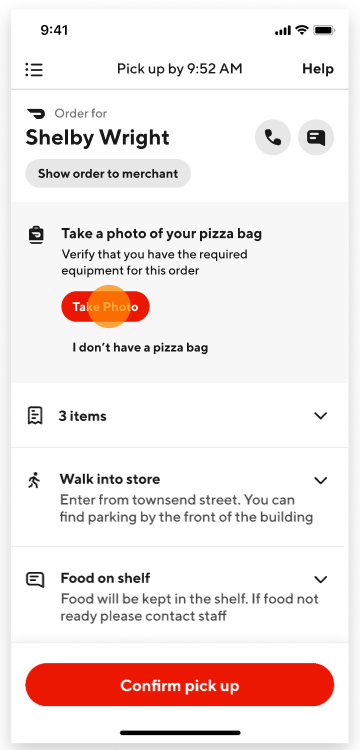


If you encounter an issue submitting a photo of your bag, you can still continue with the delivery but you will have to make sure to verify your equipment the next time an offer is made.
If you don’t have your pizza bag, you can click on “I don’t have one right now” and continue with the delivery. Note: If you accept another pizza order without a pizza bag, you will not be able to deliver pizza orders after that order.
If you don’t have your catering bag, you can click on “I don’t have one right now” and continue with the delivery. Note: If you accept another order after the first one without a catering bag, you will not be able to deliver large catering orders after that order.


Frequently Asked Question
Q: Will I be unassigned from the order if I was unable to verify my equipment?
A: No. You can still continue with the order but you will have to verify your bag the next time because you will no longer receive these assignment opportunities if you failed to verify two consecutive times.
Q: I want to accept this delivery but I don’t have a pizza bag or catering bag, what should I do?
A: To become eligible to receive orders requiring a pizza bag and/or catering bag, you can purchase these through the DoorDash Store or any retailer where similar equipment is sold.
Q: I want to accept this delivery but I don’t have a catering bag, what should I do?
A: To become eligible to receive orders requiring a catering bag, you can purchase a catering bag through the DoorDash Store or any retailer where similar catering bags are sold as long as your bag meets the catering bag standards: insulated, at least 22" W x 14" L x 13" D.
Q: The app is not allowing me to take a photo of my bag.
A: To be able to take a photo of your bag in the Dasher app, make sure that you allow the camera permissions.
On iOS: Go to Settings, scroll down to Privacy, select Camera and look for the Dasher App icon and toggle it right to give the app access to your camera.
On Android: Go to Settings, Applications/Apps, look for the Dasher App, click on Permissions, select Camera, select Allow
Q: I purchased a catering bag, how will I start receiving these large orders?
A: To learn how to be part of the Large Order program, please click here.
Q: I have a pizza/catering bag but I don’t have it right now, can I still accept these orders?
A: Yes, you can continue with the order but you have to make sure that you have the bag on your next delivery. If you accept another pizza order without a pizza bag, you will not be able to deliver pizza orders after that. If you accept another order that requires a catering bag and you don’t have a catering bag, you will not be able to deliver these large orders after that.



