How to Switch Payout Methods
Introducing DoorDash Crimson - a new personal banking account where Dashers can receive their earnings instantly through Instant Pay, enjoy cash back and perks from exclusive DoorDash partnerships, and manage your money easily, safely, and securely, all within the Dasher app. No credit check is required, and no fee to apply. Learn more here.The DasherDirect program will be ending on April 1, 2025. If you are a current DasherDirect user, learn how to migrate to DoorDash Crimson with our step-by-step guide and get answers to frequently asked questions here.
*Successful ID verification required
How to Switch Payout Methods
Go to Earnings.
Tap on the View Payout Details button.
Select Change payout method.
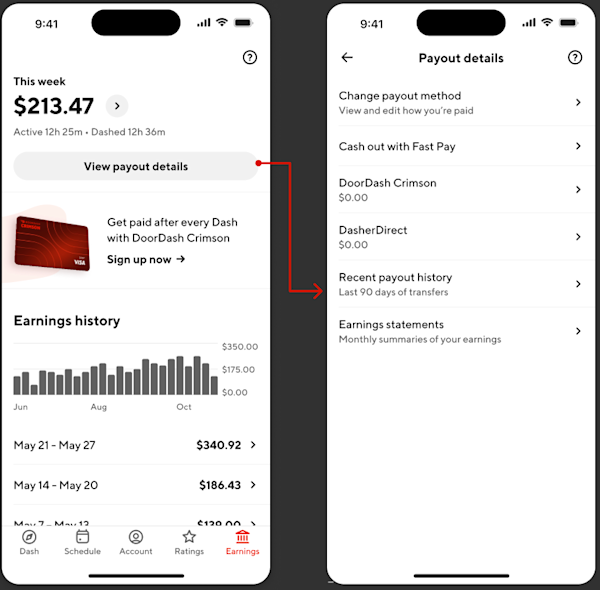
Choose among the current payout method that you have. You may see different payout methods based on your eligibility.

To set up direct deposit, go to How do I setup my direct deposit information to receive my pay?
To learn more on how to sign up for Fast pay, go to What is Fast Pay?
To apply for DasherDirect, you will need to upload a copy of your driver’s license photo. Once approved, you’ll be able to download to DasherDirect app.



