Dasher Earnings Statements
You can view and download your monthly earnings statements on the Dasher App.
To get your statements, simply follow the steps below:
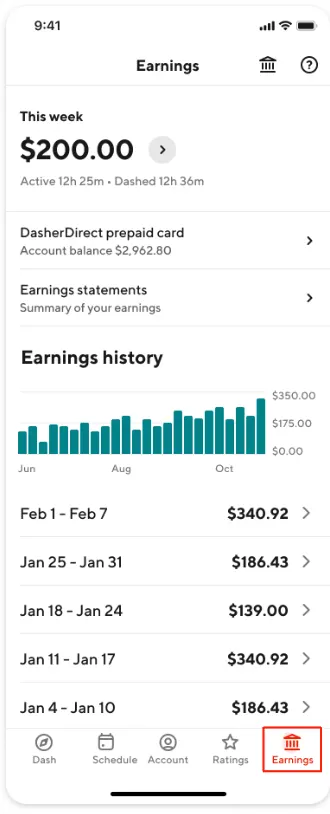
1. Navigate to the Earnings screen |
|
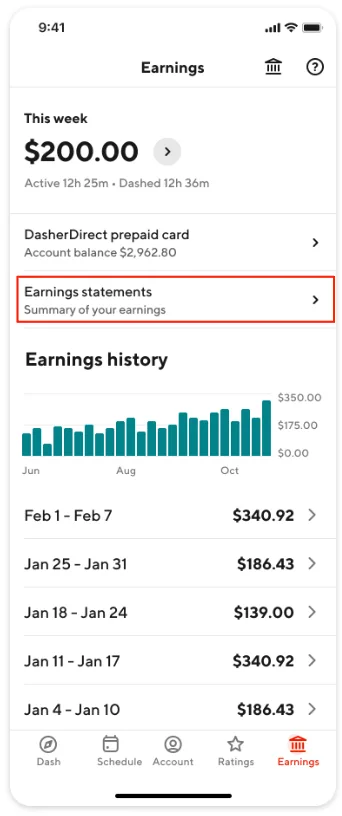
2. Select Earnings statements |
|
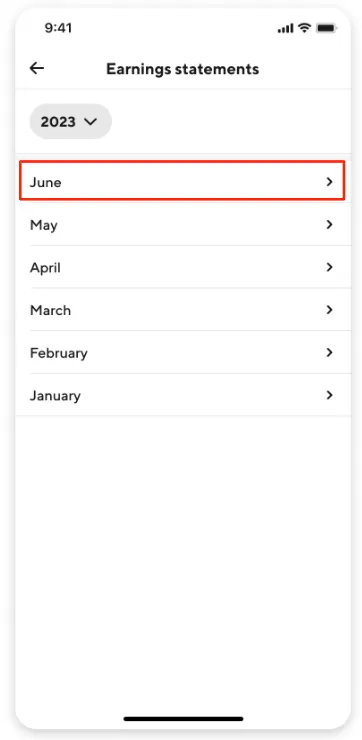
3. If you have multiple years of statements available, select the year and month of the statement you wish to view. If there is no year option, you only have one year of statements. Simply select a month to view the statement. | [table-image:https://images.ctfassets.net/ubxkqizxnrpo/1cB1TaXqUXRLgo2eg9BFKl/cb6c0573cdfbc94cef39657c60a9daad/migrated-image-0f23649a.jpg][table-image:https://images.ctfassets.net/ubxkqizxnrpo/18BArzPtKczHTQSPSDj5sp/7f7fbfb933d765b0ef62659ef32986f2/migrated-image-01496543.jpg]
|
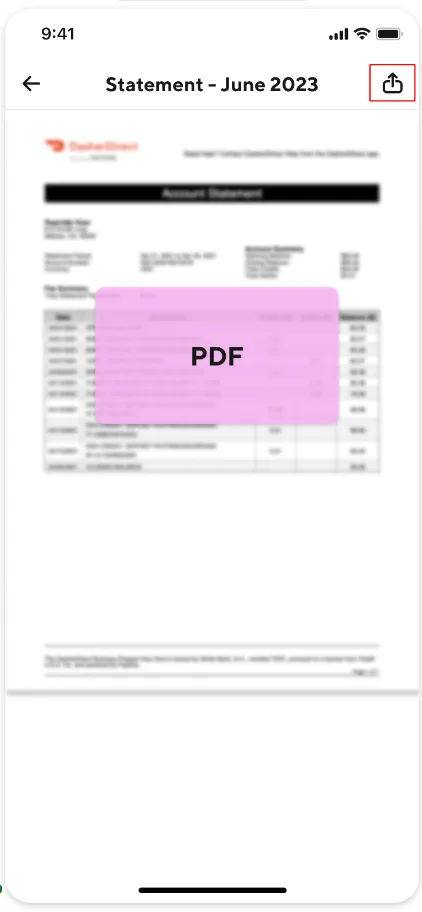
4. To save your statement, select the icon and follow the prompts to save the statement to your device. |
|
If you encounter issues in downloading your earnings or if your account is deactivated, Contact Support. New York Dashers can request their Dash History for up to 4 years by contacting Support.



