In-app Navigation
About DoorDash In-App Navigation
Overview
When Dashing, we know how essential navigation is to picking up, dropping off, and completing deliveries on time and safely. We designed and built the DoorDash In-App Navigation to not only give you reliable, accurate routes powered by Google Maps, but also give you all the important information you need – all in one place in your Dasher app.
Why Dashers love using DoorDash In-App Navigation
Easy access to the dashing information you need when you most need it. Faster pickups and drop-offs are just a swipe away. Find all the information you need to get to the right address, on the best route.
View building numbers will automatically appear as you arrive.
Know exactly where you’re headed with automatic map zoom-ins as you arrive at your destination.
Let the app guide you away. It will auto-zoom in as you arrive at your customer for faster and more convenient deliveries.
Tap a button to quickly chat with your customer – or call them directly if you prefer.
Optimal routes. Feel confident you’re on the best path for every delivery with maps and routes powered by Google Maps, all without leaving the Dasher app.
Distraction-free navigation, so you can stay focused on the road ahead. Stay focused on the road with features designed to minimise your distractions and conveniently guide you to your destination.
New order notifications
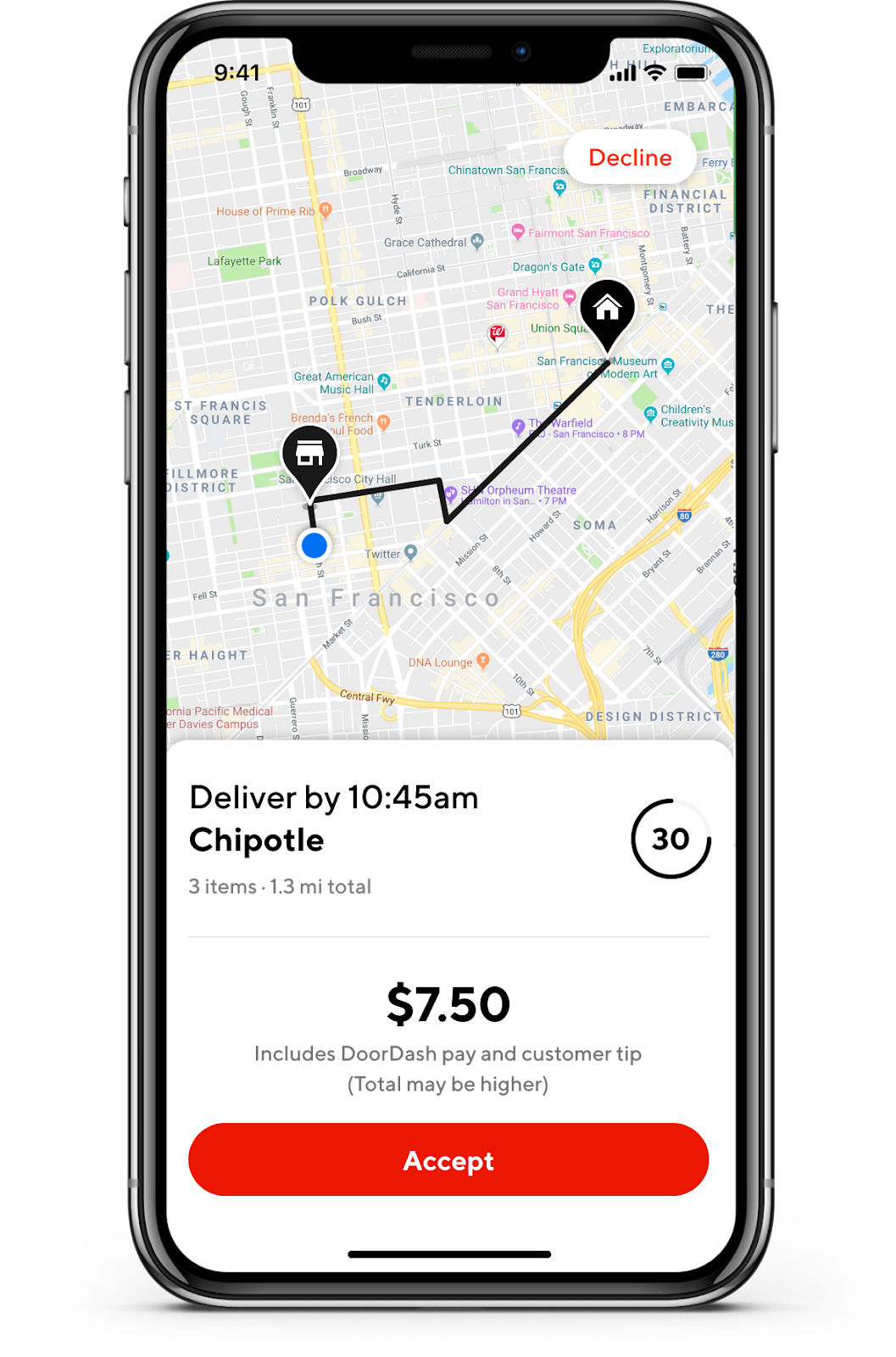
Notifications will appear automatically so you can accept and decline them as you dash.
Audio instructions
Get turn by turn voice directions right from your device to easily guide you as you drop off your order.
Customize map views
Pick the view that works best for you. You can toggle between street and satellite views. Select a default or change as you go. (Android Only
How it works: Save time with fast & convenient navigation in 3 steps
Accept an order. When you accept an order, you’ll automatically be taken to DoorDash In-App Navigation powered by Google Maps.
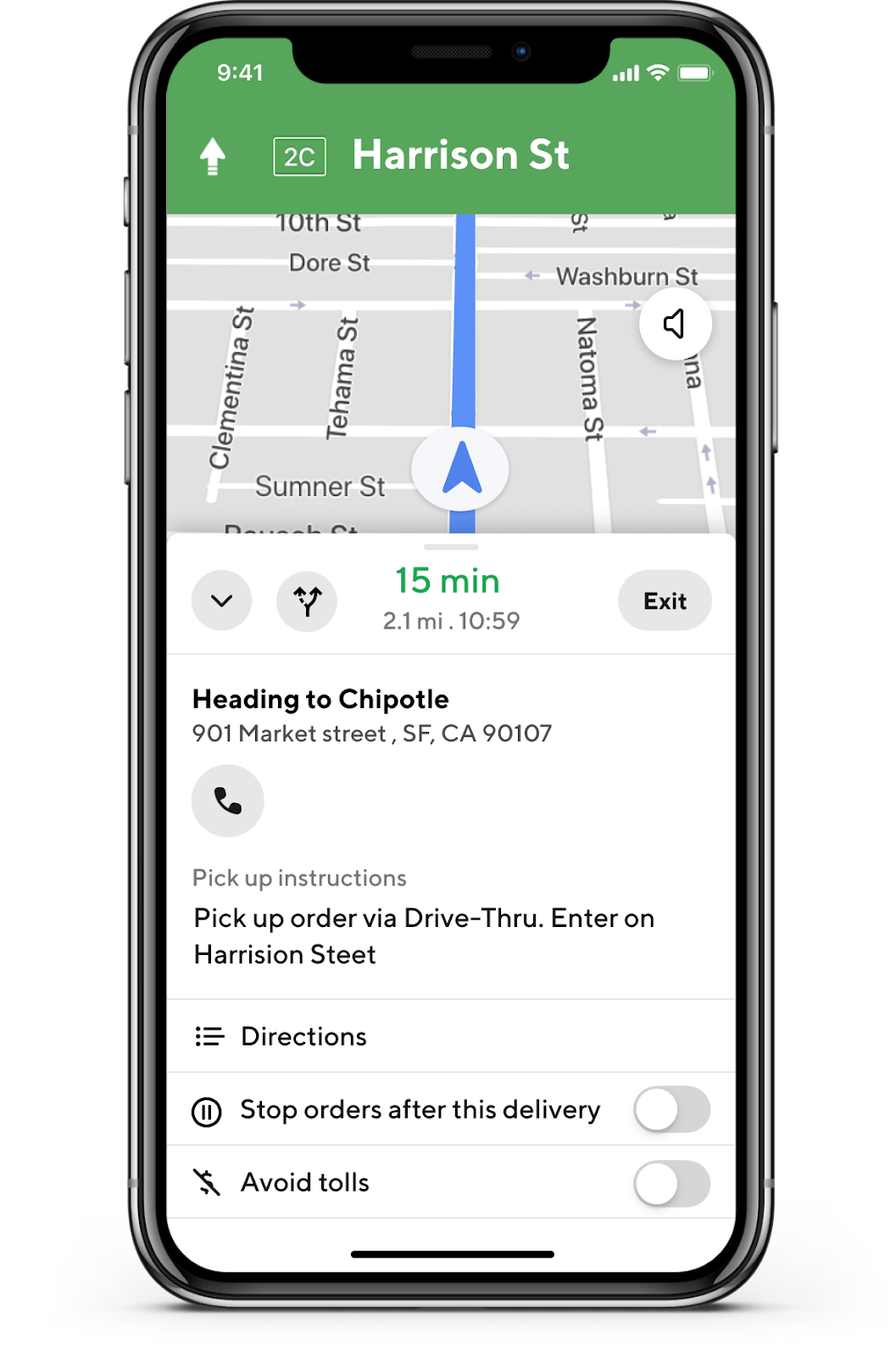
See full details for a faster pick-up. Swipe to see all the relevant information you need as you arrive at the merchant, including the restaurant name & specific pickup instructions.
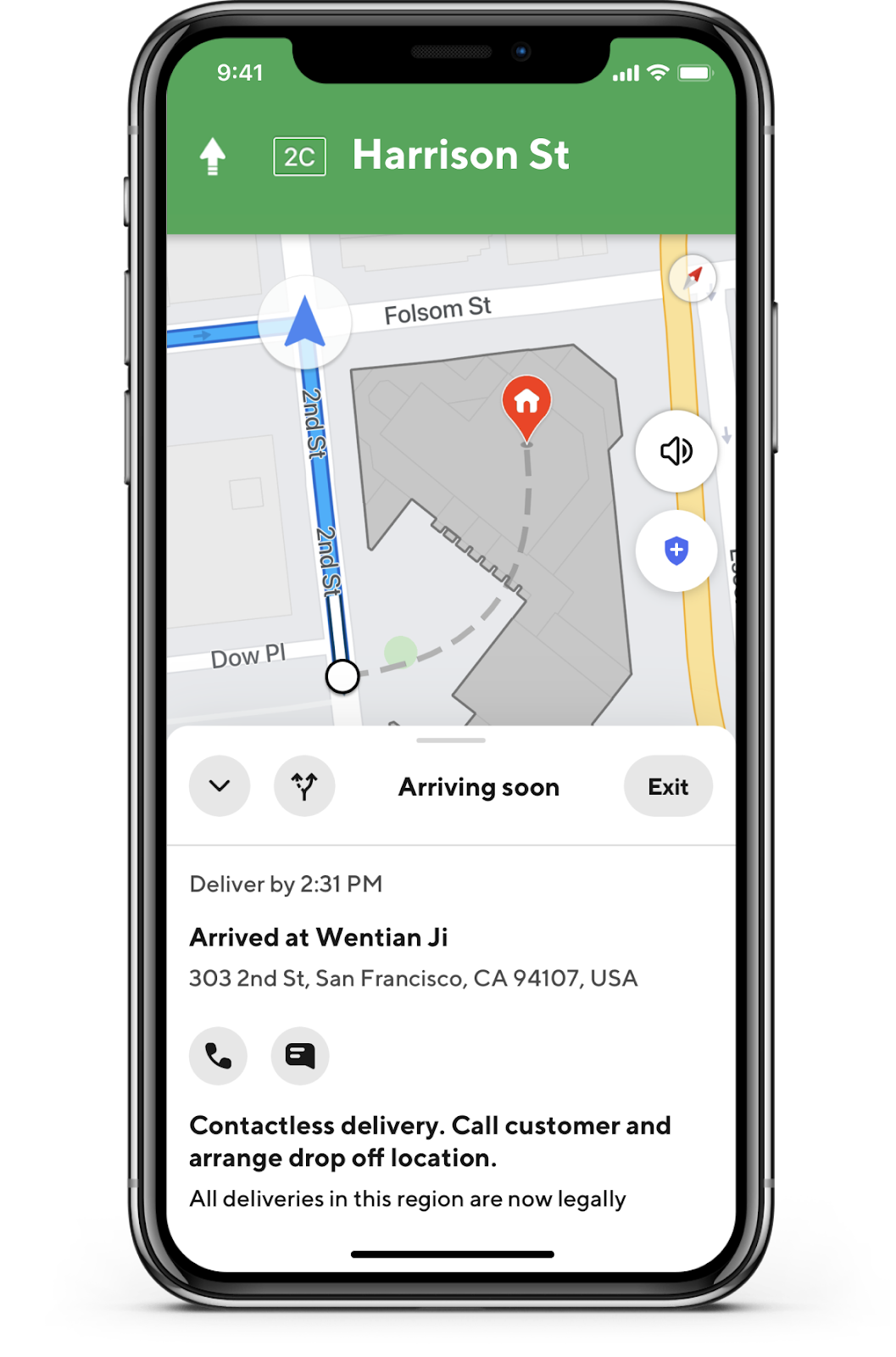
Easily navigate to your customer for faster drop-offs. The app will automatically zoom in to highlight the drop-off destination upon arrival. It will also show building numbers and details to make sure you can get there, but tap the phone or message icon if you need to contact the customer.


Frequently Asked Questions
Q: Do I need to do anything to use DoorDash In-App Navigation?
A: No, you will be given access to DoorDash In-App Navigation by default. If you don’t currently have access you can follow the directions below to switch mapping services.
Q: What happens if I’m traveling between zones or starting points, can I still accept an order?
A: Notifications for new orders will appear so you can quickly accept them as you dash — all without switching apps.
Q: I prefer to use another navigation app. Is that possible?
A: Yes, simply go to “Settings” in your Dasher app to adjust your preference.



