Can I tip or adjust the tip I provide to the Dasher?
Can I tip or adjust the tip I provide to the Dasher?
Yes, there are multiple ways to tip or adjust the tip you left for your Dasher
Add a tip in your app Select locations offer the option to add any tip for a Dasher after checkout - all in your DoorDash app. Note that when adding a tip after checkout, your original payment method will be refunded for the original order total, and charged for updated order total which includes the added tip. | Add a tip in your app Select locations offer the option to add any tip for a Dasher after checkout - all in your DoorDash app. Note that when adding a tip after checkout, your original payment method will be refunded for the original order total, and charged for updated order total which includes the added tip. |
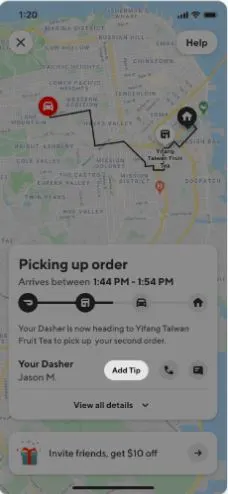
During delivery After you place your order and are assigned a Dasher, add a tip from the progress screen by clicking “Add Tip”. |
|
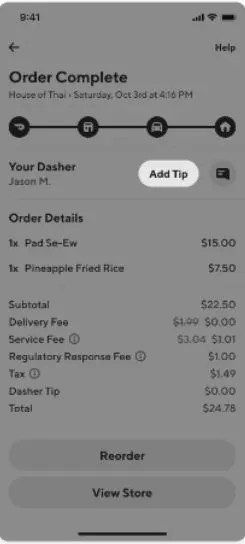
After order is complete You can also add a tip after an order is complete - up to 30 days after. From the Orders tab, click on “View Receipt” and then select the option to “Add tip”. |
|
Call in to change or add your tip You can adjust your tip by contacting support. | Call in to change or add your tip You can adjust your tip by contacting support. |